





NVIDIA RTX 5060 Ti Photo Editing PC – Built in the UK
The Performance Photography Computer is a 14-core, 64GB photo editing PC with an NVIDIA GeForce RTX 5060 Ti in a Fractal Design Epoch chassis, built for high-resolution RAW files, heavy AI tool use and large composites in Lightroom Classic and Photoshop.
The Performance Photography Computer is an NVIDIA RTX 5060 Ti photo editing PC for photographers whose work has moved beyond everyday editing: 40 to 60 megapixel cameras, multi-layer composites, focus stacks, panoramas and daily use of Lightroom’s AI tools. Its fourteen-core Intel Core i5-14600KF powers through preview generation and batch exports, the RTX 5060 Ti 8GB GDDR7 runs AI Denoise, masking, Super Resolution and Photoshop’s Neural Filters at the speed serious users need, and 64GB of memory keeps even the largest documents and stacks in memory. With a 1TB WD Blue SN5100 PCIe 4.0 NVMe drive for Windows and applications, a second 2TB NVMe drive for catalogues and current work, a 4TB hard drive for the archive and the Fractal Design Epoch chassis, this NVIDIA RTX 5060 Ti photo editing PC is built to stay fast through long sessions.
The Performance Photography Computer is built on an Intel Core i5-14600KF with 14 cores (6 performance and 8 efficient) and 20 threads, an NVIDIA GeForce RTX 5060 Ti 8GB GDDR7 graphics card and 64GB of DDR4 3200MHz memory. Storage is a 1TB WD Blue SN5100 PCIe 4.0 NVMe SSD, a 2TB PCIe 4.0 NVMe SSD and a 4TB Seagate BarraCuda hard drive. It comes with Microsoft Windows 11 Home 64-bit (genuine, pre-installed) and a 3-year parts and labour warranty.
Intel Core i5-14600KF with 64GB of Memory
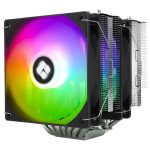
The Intel Core i5-14600KF combines six performance cores and eight efficient cores, twenty threads in all, boosting to 5.3GHz with 24MB of Intel Smart Cache. Photoshop’s single-threaded brush and filter work runs on the fast performance cores, while Lightroom Classic spreads previews, Denoise and exports across all twenty threads. The 64GB of DDR4 memory, fitted as two 32GB modules, is what lets 60 megapixel files with dozens of layers, hundred-frame focus stacks and gigapixel panoramas stay in memory instead of paging to disk, and two DIMM slots remain free for up to 128GB. A Thermalright Phantom Spirit 120 SE ARGB dual-tower cooler holds the processor’s boost clocks quietly under sustained load.
NVIDIA GeForce RTX 5060 Ti 8GB GDDR7 – GPU-Accelerated Editing
The NVIDIA GeForce RTX 5060 Ti is built on NVIDIA’s Blackwell architecture with 4,608 CUDA cores and 8GB of GDDR7 memory. Lightroom Classic’s AI Denoise, AI masking and Super Resolution, Photoshop’s Neural Filters and Generative Fill, and Camera Raw’s processing all run on the graphics card, and DxO DeepPRIME XD and Topaz Photo AI make full use of it too. Its 8GB of memory comfortably covers photo work at any resolution and light video editing. The card drives up to four monitors over DisplayPort 2.1b and HDMI 2.1b, and a 16GB version can be selected in the configurator for heavy video or 3D work.
Three-Drive Storage – 1TB + 2TB NVMe SSDs and a 4TB Archive
Storage is split three ways so that nothing competes for the same drive. A 1TB WD Blue SN5100 NVMe M.2 solid-state drive at PCIe 4.0 speed, rated at up to 7,100MB/s read and 6,700MB/s write, holds Windows 11 and your applications, so the system and Lightroom start quickly. A second 2TB PCIe 4.0 NVMe drive is dedicated to Lightroom catalogues, previews, the Camera Raw cache and the shoots you are working on now, which keeps scrolling and develop work fast even while the system drive is busy. A 4TB Seagate BarraCuda hard drive then stores your finished library and backups. Both M.2 slots on the motherboard are used, three of its four SATA ports remain free, and the Epoch chassis has mounts for two 3.5-inch and two 2.5-inch drives, so the archive can grow with your library.
Fractal Design Epoch – Black Solid Steel Chassis
The Performance Photography Computer is built in the Fractal Design Epoch Solid Black, a solid-steel mid-tower with three Momentum 12 fans fitted at the front as standard, so the processor and graphics card get a steady supply of cool air under long export runs. It is a clean, understated case that suits a studio or office, with a front USB-C port at 20Gbps, two USB-A ports and a headphone and microphone combo jack. The processor is cooled by the Thermalright Phantom Spirit 120 SE ARGB air cooler, so there is no liquid cooling to maintain. The case measures 443mm deep, 215mm wide and 455mm tall.
2.5G LAN, Wi-Fi 6, Bluetooth 5.2 & 7.1 Audio
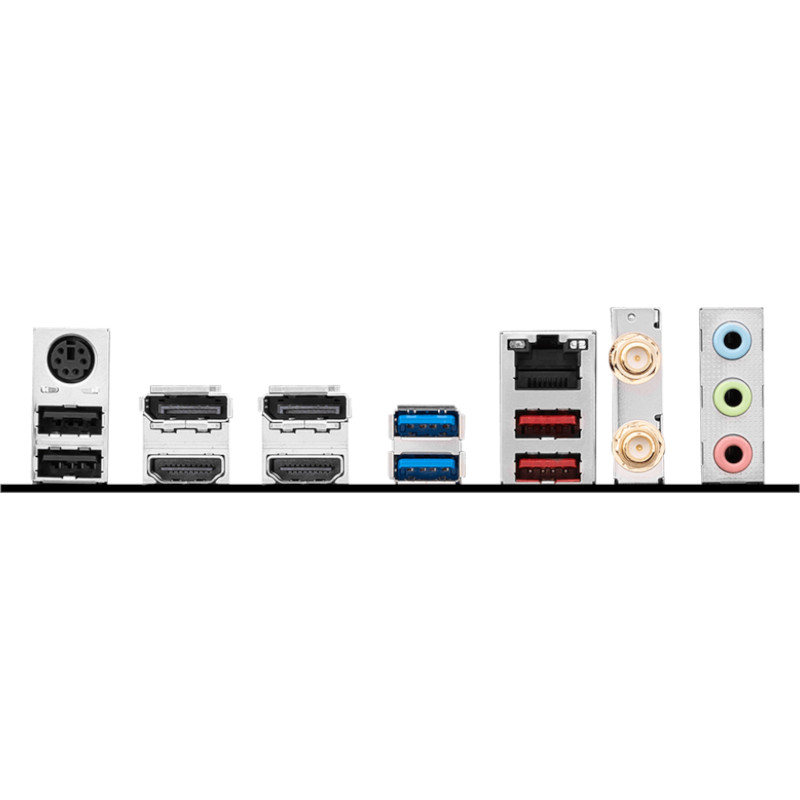
Connectivity comes from the ASUS PRIME B760M-A WIFI D4 motherboard. Wired networking runs over 2.5 Gigabit Ethernet for fast transfers to a NAS or tethered backup drive, and Wi-Fi 6 with Bluetooth 5.2 is built into the board. Two Type-A ports at the rear give 10Gbps for external SSDs and card readers, four USB 2.0 ports take keyboards, mice and tablets, and the front USB-C port adds 20Gbps for fast card readers and external drives. 7.1-channel high-definition audio is built in, and all display connections run from the RTX 5060 Ti.
Ideal for
- High-resolution RAW files from 40 to 60 megapixel cameras
- Heavy daily use of AI Denoise, masking, Neural Filters and Generative Fill
- Multi-layer composites, focus stacking and gigapixel panoramas
- Large multi-year Lightroom Classic catalogues and batch exports
- Photographers who also edit 1080p and 4K video
With fourteen cores, 64GB of memory, a GeForce RTX 5060 Ti and a three-fan Fractal Design chassis, the Performance Photography Computer is a well-judged NVIDIA RTX 5060 Ti photo editing PC for photographers who push Lightroom and Photoshop hard every day. It keeps costs sensible by using DDR4 memory where it makes almost no difference to editing speed, and it leaves room to grow to 128GB, more archive storage or a 16GB graphics card.
Built to order and tested in the UK by Punch Technology, every system comes with a 3-year parts and labour warranty, backed by over 30 years of PC building experience. The estimated lead time for your configuration is shown when you order.
Full Specification
| Processor | |
| CPU | Intel Core i5-14600KF 3.5/5.3GHz 14 Core, 20 Thread CPU (LGA1700) |
| Cores / Threads | 14 Cores (6P + 8E) / 20 Threads |
| Frequency | P-core Base 3.5GHz / Max Turbo 5.3GHz |
| Cache | 24MB L3 |
| Integrated Graphics | None (a dedicated graphics card is required) |
| CPU Cooler | Thermalright Phantom Spirit 120 SE ARGB 280W CPU Air Cooler (dual-tower air cooler, 155 mm) |
| Memory & Storage | |
| RAM | 64GB DDR4 3200MHz |
| Configuration | Dual Channel – 2 x 32GB |
| Max Supported | 128 GB (4 x DIMM slots, 2 used) |
| Primary SSD | 1TB WD Blue SN5100 M.2 PCIe 4.0 NVMe SSD (7100MB/s R, 6700MB/s W) – operating system and applications |
| Secondary Drive | 2TB WD Blue SN5100 M.2 PCIe 4.0 NVMe SSD (7100MB/s R, 6700MB/s W) |
| Third Drive | 4TB Seagate BarraCuda 3.5in SATA HDD (5400rpm) (SATA 6Gb/s, up to 190 MB/s read) |
| Optical Drive | None |
| Graphics & Display | |
| GPU | NVIDIA GeForce RTX 5060 Ti 8GB GDDR7 GPU (4608 cores, 180 W) |
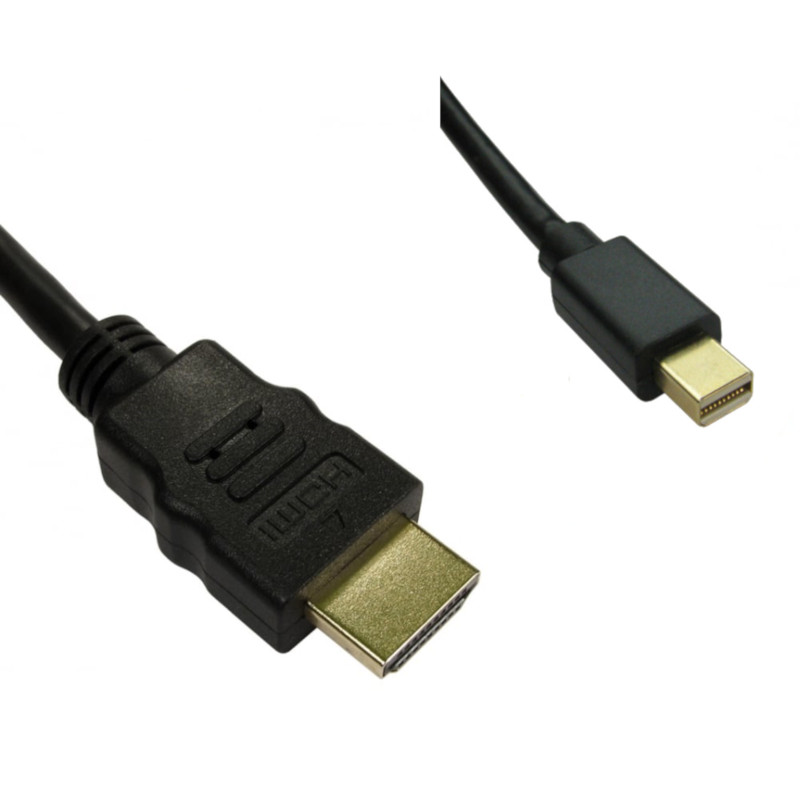
| Display Outputs | 3 x DisplayPort 2.1b, 1 x HDMI 2.1b on the graphics card (up to 4 x monitors; layout may vary by card brand) |
| Motherboard & Connectivity | |
| Motherboard | ASUS Prime B760M-A WIFI D4 Micro-ATX DDR4 Motherboard (mATX) |
| Chipset | Intel B760 |
| Wired Networking | 2.5GbE (Realtek) LAN |
| Wireless | Wi-Fi 6 – Built-in |
| Bluetooth | Bluetooth 5.2 (built-in) |
| Audio | High Definition Audio 7.1 (Realtek 7.1 Channel High Definition Audio) |
| Rear & Front I/O (Input/Output) | |
| Rear Ports | 2 x Type-A 10Gbps, 4 x Type-A USB 2.0, 1 x RJ-45 2.5GbE Ethernet Port, plus the graphics card's 3 x DisplayPort 2.1b, 1 x HDMI 2.1b |
| Front Ports | 1 x USB Type-C 20Gbps, 2 x USB-A, 1 x headphone/microphone combo jack |
| Motherboard Video (Disabled) | 1 x DisplayPort, 2 x HDMI – not active. The Intel Core i5-14600KF has no integrated graphics, so all monitors connect to the graphics card. |
| Expansion & Internal Slots | |
| PCIe Slots | 1 x PCIe 4.0 x16 (used by the NVIDIA GeForce RTX 5060 Ti 8GB GDDR7 GPU), 1 x PCIe 4.0 x16 (x4), 1 x PCIe 4.0 x16 (x1) |
| Storage Expansion | 2 x M.2 (PCIe 4.0 x4, PCIe 4.0 x4; 2 used, 0 free), 4 x SATA 6Gb/s (1 used), case mounts for 2 x 3.5" and 2 x 2.5" drives |
| Power, Case & Cooling | |
| Power Supply | Contour 650W ATX PSU (Not certified (~85% at 50% load), ATX 2.4, Non-modular) |
| Chassis | Fractal Design Epoch Solid Black (Mid tower, Solid steel) |
| Fans | 3 x Momentum 12 fans (front) (pre-installed) |
| Liquid Cooling | None (air-cooled – Thermalright Phantom Spirit 120 SE ARGB 280W CPU Air Cooler) |
| Dimensions | 443mm (D) x 215mm (W) x 455mm (H) |
| Software & Support | |
| Operating System | Microsoft Windows® 11 Home (Advanced licence) (genuine, pre-installed) |
| Input Devices | No keyboard or mouse included |
| Warranty Cover | 3 Years, Parts & Labour |
| First Year | Free returns on warranty claims |
NVIDIA RTX 5060 Ti photo editing PC graphics card
Intel Core i5-14600KF processor for the RTX 5060 Ti photo editing PC

64GB DDR4 3200MHz memory for large composites and focus stacks
Thermalright Phantom Spirit 120 SE ARGB cooler
3 Year Warranty on Punch Technology PC Systems

What is the Performance Photography Computer best for?
The Performance Photography Computer is primarily a photo editing PC for demanding work: high-resolution RAW files from 40 to 60 megapixel cameras, heavy daily use of Lightroom’s AI Denoise, masking and Super Resolution and Photoshop’s Neural Filters and Generative Fill, and large multi-layer composites, focus stacks and panoramas that need far more than 32GB of memory. Its fourteen-core Intel Core i5-14600KF, 64GB of memory and NVIDIA GeForce RTX 5060 Ti are matched to exactly those tasks, and keeping the system on one NVMe drive and the catalogues on a second keeps everything responsive.
Adobe Lightroom Classic, Photoshop and Camera Raw are the core applications, and Capture One, DxO PhotoLab with DeepPRIME XD, ON1 Photo RAW, Affinity Photo 2, Luminar Neo, Topaz Photo AI and Helicon Focus all run well, with their GPU-accelerated features fully used. Photographers who also shoot video can edit 1080p and 4K footage comfortably in Premiere Pro or DaVinci Resolve, and the 8GB of graphics memory is ample for photo work at any resolution. The one limit worth knowing is that heavy 4K video effects, 3D rendering or local AI image generation would call for the 16GB graphics card available in the configurator.
Where does the Performance Photography Computer sit in the range?
Below it, the Value Plus Video Editing Computer pairs an Intel Core Ultra 5 245KF with the same RTX 5060 Ti 8GB, 32GB of DDR5 memory and a single 1TB NVMe drive, and the AutoCAD Revit 2026 Core i7 PC uses a Core i7-14700KF with an NVIDIA RTX A1000 8GB and 32GB of DDR5 for CAD work. Above it, the Performance PC for AutoCAD 2026 has a Core Ultra 7 265 with an RTX A1000 8GB and a 2TB drive, and the AutoCAD Revit 2026 Performance Workstation moves to a 24-core Core Ultra 9 285 with the RTX 5060 Ti 8GB. The Performance Photography Computer is the one to choose when memory and storage layout matter most to your editing: 64GB of DDR4, a dedicated catalogue drive and a 4TB archive drive, with the processor and graphics card sized for photo work.
Frequently Asked Questions
What software does the Performance Photography Computer run?
The Performance Photography Computer runs Adobe Lightroom Classic, Photoshop and Camera Raw quickly, including their GPU-accelerated AI features, and Capture One, DxO PhotoLab, ON1 Photo RAW, Affinity Photo 2, Luminar Neo, Topaz Photo AI and Helicon Focus all run well. It also handles 1080p and 4K video editing in Premiere Pro or DaVinci Resolve, and everyday productivity software with ease.
Is the RTX 5060 Ti good for photo editing?
Yes. The NVIDIA GeForce RTX 5060 Ti 8GB GDDR7 is a current-generation Blackwell card with 4,608 CUDA cores, and it accelerates Lightroom’s AI Denoise, masking and Super Resolution, Photoshop’s Neural Filters and Generative Fill, and Camera Raw processing. Its 8GB of memory covers high-resolution RAW files, panoramas and layered documents. Heavy 4K video effects, 3D rendering or local AI image generation would benefit from the 16GB version, which can be selected in the configurator.
Do I need 64GB of RAM for photo editing?
For everyday editing you do not, but for large files it makes a real difference. A 60 megapixel file with a dozen adjustment and pixel layers, a hundred-frame focus stack or a gigapixel panorama can easily pass 32GB in Photoshop, at which point the application starts paging to disk and every brush stroke slows down. With 64GB those documents stay in memory. The two 32GB modules leave two DIMM slots free, so the system can be taken to 128GB later without discarding the existing memory. DDR4 rather than DDR5 makes almost no difference to photo editing speed on this processor, and it keeps the cost of 64GB sensible.
How is the storage set up, and can I add more drives?
The Performance Photography Computer uses a three-tier layout. A 1TB WD Blue SN5100 NVMe solid-state drive holds Windows 11 and your applications, a second 2TB NVMe drive is dedicated to Lightroom catalogues, previews, the Camera Raw cache and current shoots, and a 4TB Seagate BarraCuda hard drive archives your finished library and backups. Keeping catalogues off the system drive helps Lightroom stay responsive. Both M.2 slots are used, but three SATA ports and three more drive mounts in the case (one 3.5-inch and two 2.5-inch) remain free, so the archive can grow, and the storage can be configured differently before the system is built.
Who is this PC best suited for?
The Performance Photography Computer is best suited to serious enthusiasts and working photographers with 40 to 60 megapixel cameras, large multi-year catalogues and heavy daily use of AI tools, compositing, focus stacking or panoramas, who want the memory and graphics headroom to keep those tasks fast. It suits people upgrading from a system with 16GB or 32GB of memory who have hit its limits in Photoshop. Photographers who also want more graphics memory for 4K video or 3D work can choose the 16GB graphics card in the configurator.
Can I change the components in the Performance Photography Computer?
Yes. Like all Punch Technology systems, the Performance Photography Computer is configurable before it is built. Popular changes for photographers include the 16GB RTX 5060 Ti, 128GB of memory, larger NVMe drives and a larger archive drive. Every system is built to order and tested in the UK, the estimated lead time for your configuration is shown when you order, and it is covered by our 3-year parts and labour warranty.


What others are saying
There are no contributions yet.