Building the perfect PC for Ableton Live
Ableton Live is one of the most popular DAWs (Digital Audio Workstations) for producers, DJs, and composers worldwide. Whether you’re layering dozens of VST instruments, running heavy effects chains, or working on multi-track sessions with high sample rates, your PC should enable your creativity without interruptions like audio dropouts, latency, or crashing. Choosing the right components is essential to building a system optimised for music production.
While Ableton lists minimum and recommended requirements, these usually only reflect the bare minimum needed to run the software. To truly get the best experience, you’ll want to design a workstation around the unique demands of audio production.
Key hardware considerations for Ableton Live
Processor (CPU)
The CPU is the single most important component for a DAW like Ableton Live. Real-time audio processing requires strong single-core performance, since most audio engines (including Live’s) can’t fully distribute tasks evenly across dozens of cores. However, having a moderate number of fast cores still helps when juggling multiple plugins, instruments, and tracks.
Best CPUs for Adobe Photoshop

Intel Core Ultra 9 285K
With excellent single-thread performance and strong efficiency cores for background tasks, this CPU is a fantastic choice for demanding producers who also use CPU-intensive VSTs.
AMD Ryzen 9 9950X3D
Leveraging AMD’s 3D V-Cache, this processor delivers outstanding low-latency performance in audio workloads, ensuring smooth playback even in heavy sessions.


Intel Core i5-14600K
A great mid-range option, offering strong single-thread speed at a more accessible price point, ideal for home studios and semi-pro users.
How many cores do I need?
In most DAWs, including Live, efficiency begins to level off beyond 8–12 cores. Very high core count CPUs (like Threadrippers) may not deliver much additional benefit, and can sometimes even underperform due to higher latency. Prioritise fast per-core speed over raw core count.
Graphics card (GPU)
Unlike video editing or 3D rendering software, Ableton Live does not rely heavily on the GPU. You don’t need a high-end graphics card to get excellent performance. However, a stable, modern GPU ensures smooth UI rendering, compatibility with high-resolution displays, and support for multi-monitor setups.
-
An entry-level NVIDIA GeForce (such as an RTX 3050 or higher) is more than sufficient.
-
If you’re running multiple 4K displays, consider stepping up to something more powerful like an RTX 4060 or RTX 5060.
-
Professional GPUs (Quadro/RTX A-series) are not necessary unless you need them for other workflows.
Memory (RAM)
RAM requirements depend on the size of your projects, the number of sample libraries you use, and how heavily you rely on memory-intensive plugins.
-
Minimum: 16GB (sufficient for smaller projects and lighter plugin use)
-
Recommended: 32GB (ideal for most professionals, enabling large projects with multiple instruments and effects)
-
High-End: 64GB+ (only necessary if you load extremely large orchestral sample libraries or work with very complex sessions)
Fast RAM can help reduce latency slightly, but capacity is usually more important than speed for audio work.
Storage (HDD/SSD/NVME)
High-speed storage is crucial for fast sample loading, smooth playback, and responsive sessions. A multi-drive configuration is strongly recommended for professional audio workflows.
-
Primary Drive (OS + Ableton Live): NVMe SSD for fast boot and application load times.
-
Sample Library Drive: A separate NVMe SSD or high-speed SATA SSD to store virtual instruments, sample packs, and sound libraries.
-
Project Drive: Another SSD dedicated to your project files ensures read/write operations don’t interfere with playback.
If you work with very large libraries (Kontakt, Omnisphere, orchestral VSTs), storage speed makes a noticeable difference.
Audio interface considerations
While not part of the PC itself, your audio interface is equally important for Ableton Live performance. A good interface with ASIO drivers will dramatically reduce latency and provide more reliable performance than onboard sound chips.
RECOMMENDED ABLETON LIVE PCS

SKU: 5060959090380
£1,625.00 (inc VAT)
- Lian Li LANCOOL 217 Wood/Black
- Intel Core i5-14600KF 5.3GHz 14 Core CPU
- Gigabyte Z790 Eagle AX Motherboard
- NVIDIA GeForce RTX 5060 8GB GPU
- 16GB DDR5 5600MHz (2x8GB)
- 1TB M.2 PCIe 4.0 NVMe SSD
- Thermalright Peerless Assassin 120 Mini
- Contour 750W ATX 3.1 PSU
- Built in Wi-Fi and Bluetooth
- Built in 7.1 Sound Card
- Microsoft Windows® 11 Home
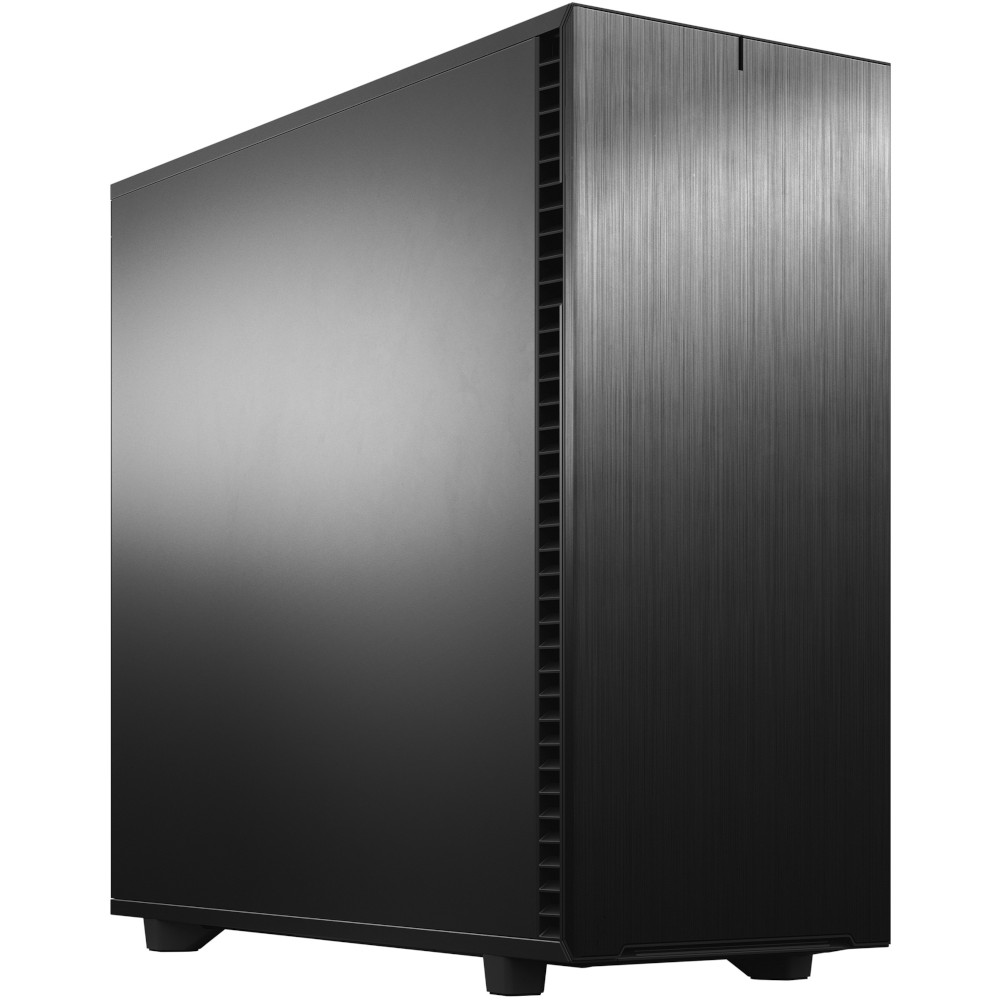
SKU: 5060506946955
£6,328.00 (inc VAT)
- Fractal Design Define 7 XL Solid Black
- Intel Core Ultra 9 285K 5.7GHz 24 Core CPU
- ASRock Phantom Gaming Z890 Nova
- NVIDIA GeForce RTX 5080 16GB GPU
- 96GB Crucial Pro DDR5 5600MHz (2x48GB)
- 2TB Crucial T710 M.2 PCIe 5.0 NVMe SSD
- 4TB Samsung 990 Pro M.2 PCIe 4.0 NVMe SSD
- 12TB WD Gold 3.5in SATA HDD
- Corsair NAUTILUS 360 RS AIO CPU Cooler
- FSP Vita 1000W 80 Plus Gold ATX 3.1 PSU
- Built in Wi-Fi and Bluetooth
- Built in 7.1 Sound Card
- Microsoft Windows® 11 Professional

SKU: 5060959094494
£6,867.00 (inc VAT)
- Fractal Design Epoch XL Black
- AMD Ryzen 9 9950X3D2 Dual Edition 16 Core
- Gigabyte X870 EAGLE WIFI7 Motherboard
- NVIDIA GeForce RTX 5090 32GB GPU
- 64GB DDR5 6000MHz CL36 Memory (2x32GB)
- 2TB M.2 PCIe 4.0 NVMe SSD
- MSI MAG CORELIQUID A13 360mm Black
- FSP Vita 1000W 80 Plus Gold ATX 3.1 PSU
- Built in Wi-Fi and Bluetooth
- Built in 7.1 Sound Card
- Microsoft Windows® 11 Home
Punch Technology Ltd
Meyer Building
Wirral International Business Park
Bromborough
Wirral
CH62 3RH
Technical Support Number: 0151 3179860
Head Office Number: 0151 3179860
Company Number: 10250445
VAT Number: 245 0802 29
Trade Mark: UK00003257797
FCA Number is 809833.