Building the perfect PC for Adobe Premiere Pro
Adobe Premiere Pro is one of the most widely used video editing programmes in the world, offering a suite of tools for both professionals and creative enthusiasts. It can be a demanding software that requires a well-tuned system in order to get the most out of it, with your requirements changing depending on whether you are editing 1080p or 4K video, and how much rendering and exporting you need to do.
Key hardware considerations for Adobe Premiere Pro
Processor (CPU)
Your choice of CPU is going to have the biggest impact on the performance of your Premiere Pro video editing system (although Premiere Pro can make use of GPU acceleration).
The performance of your CPU in Premiere Pro is not directly linear with the amount of cores your CPU has, so don’t be convinced to just go for the most expensive CPU on the market with the idea that this will automatically lead to better performance in your application.
Best CPUs for Adobe Premiere Pro

Intel Core Ultra 9 285K
The Intel Core Ultra 9 285K is an excellent choice for Premiere Pro users who need a balance of speed and multi-core power. Its high boost clocks ensure smooth playback and responsive editing on complex timelines, while the hybrid core design provides plenty of throughput for exports, renders, and multitasking with other creative apps. With support for the latest PCIe and DDR5 standards, it’s a future-proof option for demanding video editors working in 4K and beyond.
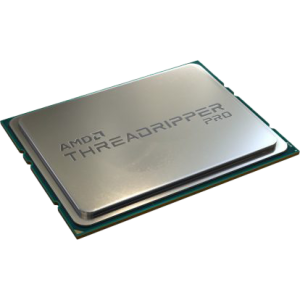
AMD Ryzen Threadripper 9970X
With 32 cores and 64 threads, the Threadripper 9970X is built for extreme video editing and heavy multitasking. For Premiere Pro users working with large, complex projects in 4K, 8K, or beyond, this CPU delivers unmatched export and render speeds while keeping timelines smooth even with multiple streams of high-resolution footage. Its massive core count also makes it ideal if you run Premiere alongside other demanding applications such as After Effects, DaVinci Resolve, or 3D software.
Graphics card (GPU)
The GPU is an increasingly important consideration in a Premiere Pro workstation, especially if you are making use of GPU-accelerated effects. With that being said, you can still get good performance from previous generation graphics cards for most situations, unless you use a lot of GPU-accelerated effects or export to H.264/HEVC regularly. Anything NVIDA from either the 30, 40 or 50 series will likely deliver great results.
Minimum VRAM
The amount of VRAM you need is going to depend on the complexity and resolution of your sequences but as a general rule of thumb, we recommend:
- 1080p – 4GB
- 4K – 8GB
- 6K – 12GB
- 8K – 16GB+
Memory (RAM)
As with other video editing software, Premiere Pro can quickly use a lot of memory, and so sufficient, high speed RAM is going to be extremely important. We recommend 64GB as a minimum, going up in line with the resolution that you work with.
Storage (HDD/SSD/NVMe)
Storage is one of the most overlooked parts of a Premiere Pro workstation. A fast CPU and GPU won’t matter if your drives can’t keep up with the demands of high-resolution video. The trick is choosing the right mix of drives and configuring them properly.
Drive types for Premiere Pro
-
HDDs (Hard Drives): Affordable and spacious, but slow. Best for long-term storage or backups, not active editing.
-
SATA SSDs: Much faster than HDDs and excellent for OS, applications, and active project files.
-
NVMe SSDs: The fastest option, up to 10–12x quicker than SATA SSDs. They shine with very high-bitrate footage (2,000 Mbps+), or for scratch/cache drives where constant reads and writes occur.
Recommended storage setup
For most editors, a three-drive setup offers the best balance of performance and reliability:
-
OS and applications (SSD or NVMe): Ensures your system and Premiere Pro launch quickly.
-
Project files and media (SSD, NVMe, or NAS): Keeps your footage and projects separate from the OS. NVMe helps with very high-bitrate workflows; NAS is a great option for studios sharing assets.
-
Cache and scratch (NVMe preferred): Handles preview files, cache, and temporary data. Isolating these improves responsiveness and protects important files from corruption.
Optional additions
-
Archive / Backup drives: HDDs are cost-effective for intermediate storage or archiving before transferring to external or cloud backups.
-
Extra SSDs/NVMes: Power users may dedicate additional drives to specific projects or media libraries.
External and network storage
While you can edit from an external drive, it’s a common source of performance issues. Copy files to an internal SSD or NVMe before editing whenever possible.
The exception is high-performance NAS solutions with flash storage and strong networking, ideal for studios that need shared access, redundancy, and centralised project management.
RECOMMENDED ADOBE PREMIERE PRO PCS
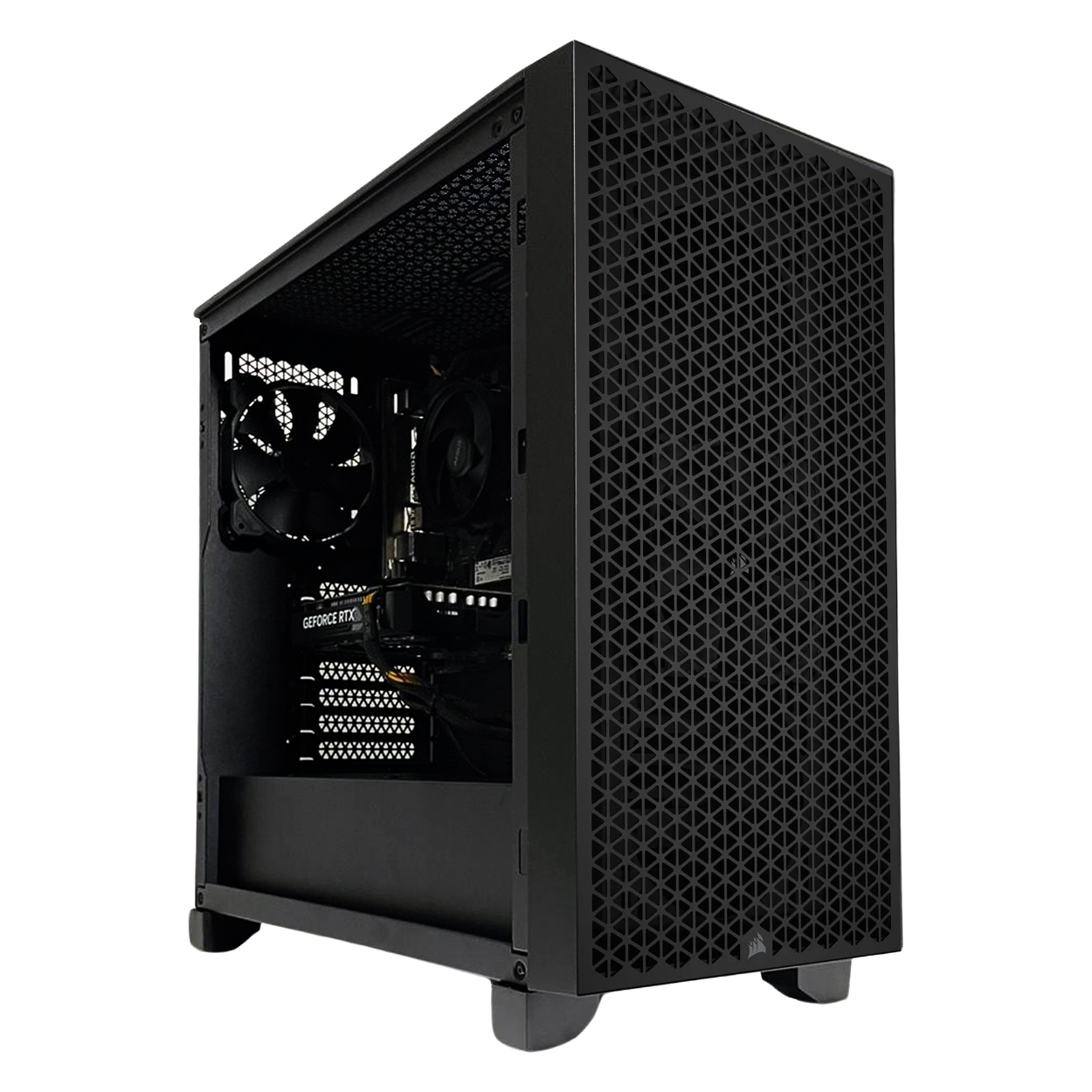
SKU: 5060506946900
£1,896.00 (inc VAT)
- Corsair 3000D AIRFLOW Black
- Intel Core Ultra 5 245KF 5.2GHz 14 Core
- ASUS PRIME B860M-A WIFI Motherboard
- NVIDIA GeForce RTX 5060 Ti 8GB GPU
- 32GB DDR5 6000MHz CL36 (2x16GB)
- 1TB WD Blue SN5100 M.2 PCIe 4.0 NVMe SSD
- 2TB Seagate BarraCuda 3.5in SATA HDD
- Thermalright Phantom Spirit 120 SE ARGB
- Contour 750W ATX 3.1 PSU
- Built in Wi-Fi and Bluetooth
- Built in 7.1 Sound Card
- Microsoft Windows® 11 Home
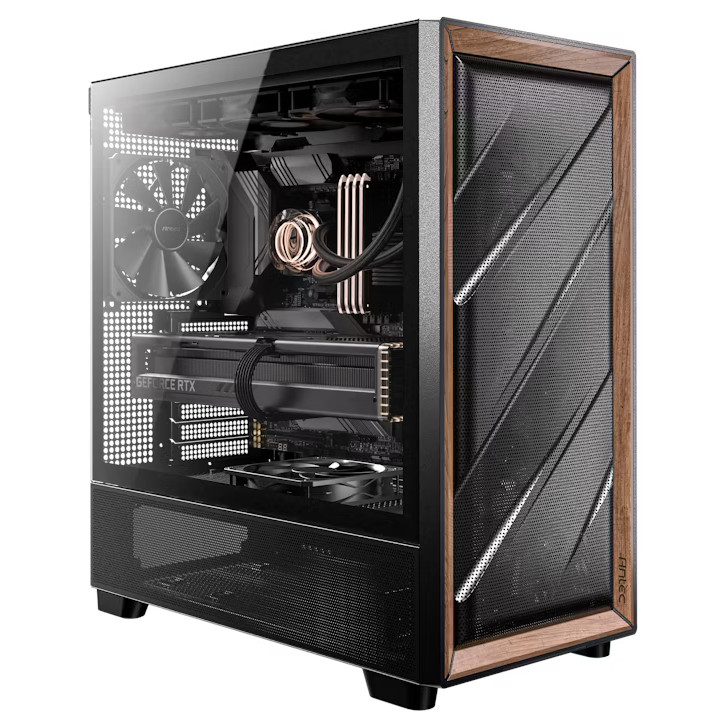
SKU: 5060506946917
£2,407.00 (inc VAT)
- Antec FLUX Wood/Black
- Intel Core Ultra 5 250KF Plus 18 Core
- ASUS PRIME Z890-P WIFI Motherboard
- NVIDIA GeForce RTX 5060 Ti 16GB GPU
- 32GB DDR5 6000MHz CL36 (2x16GB)
- 1TB WD Black SN7100 M.2 PCIe 4.0 NVMe SSD
- 4TB Seagate BarraCuda 3.5in SATA HDD
- Thermalright Assassin King 120 SE
- Contour 750W ATX 3.1 PSU
- Built in Wi-Fi and Bluetooth
- Built in 7.1 Sound Card
- Microsoft Windows® 11 Home
SKU: 5060506948355
£2,859.00 (inc VAT)
- Antec FLUX Wood/Black
- Intel Core Ultra 7 270K Plus 24 Core
- ASUS PRIME Z890-P WIFI Motherboard
- NVIDIA GeForce RTX 5060 Ti 16GB GPU
- 48GB DDR5 5600MHz CL40 (2x24GB)
- 1TB WD Black SN7100 M.2 PCIe 4.0 NVMe SSD
- 4TB Seagate BarraCuda 3.5in SATA HDD
- Corsair NAUTILUS 360 RS AIO CPU Cooler
- Contour 750W ATX 3.1 PSU
- Built in Wi-Fi and Bluetooth
- Built in 7.1 Sound Card
- Microsoft Windows® 11 Home

SKU: 5060506946931
£3,034.00 (inc VAT)
- Lian Li LANCOOL 217 Wood/Black
- Intel Core Ultra 7 270K Plus 24 Core
- ASUS PRIME Z890-P WIFI Motherboard
- NVIDIA GeForce RTX 5070 12GB GPU
- 48GB DDR5 5600MHz CL40 (2x24GB)
- 2 x 1TB WD Black SN7100 M.2 PCIe 4.0 NVMe SSD
- 4TB Seagate BarraCuda 3.5in SATA HDD
- Thermalright Phantom Spirit 120 SE ARGB
- Contour 850W ATX 3.1 PSU
- Built in Wi-Fi and Bluetooth
- Built in 7.1 Sound Card
- Microsoft Windows® 11 Home
Punch Technology Ltd
Meyer Building
Wirral International Business Park
Bromborough
Wirral
CH62 3RH
Technical Support Number: 0151 3179860
Head Office Number: 0151 3179860
Company Number: 10250445
VAT Number: 245 0802 29
Trade Mark: UK00003257797
FCA Number is 809833.