





Intel Core i5-14400F RTX 3050 Video Editing Computer – Built in the UK
The Entry Plus is an Intel Core i5-14400F and NVIDIA GeForce RTX 3050 video editing computer, built and tested in the UK by Punch Technology.
The Entry Plus Video Editing Computer is designed for content creators, students, and home users who need a capable, responsive machine for everyday video editing without the price premium of a high-end workstation. Built around the Intel Core i5-14400F and NVIDIA GeForce RTX 3050 8GB, this Intel Core i5-14400F RTX 3050 video editing computer delivers genuine GPU-accelerated editing performance in a practical, well-balanced package. With 32GB of Kingston Fury Beast DDR5 5600MHz memory and a dual-drive storage configuration, it handles 1080p and entry-level 4K editing timelines comfortably while remaining fast and responsive for general everyday use.
Dual-Drive Storage – 1TB NVMe SSD and 1TB HDD
The Entry Plus ships with two storage drives for a practical working setup. The primary drive is a 1TB PCIe 4.0 NVMe M.2 SSD, rated at up to 6,000MB/s read and 4,000MB/s write, providing fast boot times, quick application launches, and smooth project file access. A secondary 1TB 3.5″ hard drive provides cost-effective bulk storage for completed project archives, raw footage libraries, and media files that do not need to live on the faster SSD. This combination means the operating system, editing software, and active projects all benefit from NVMe speeds, while storage space does not run out quickly.
NVIDIA GeForce RTX 3050 8GB – GPU-Accelerated Video Editing
The NVIDIA GeForce RTX 3050 8GB is the GPU at the heart of the Entry Plus, and it brings meaningful real-world benefits for video editing workloads. Built on NVIDIA’s Ampere architecture, the RTX 3050 includes a dedicated NVENC hardware encoder and NVDEC hardware decoder, which offload video encoding and decoding tasks from the CPU. In DaVinci Resolve, Adobe Premiere Pro, and CapCut, GPU acceleration reduces render and export times compared to CPU-only systems. The 8GB of GDDR6 VRAM provides sufficient headroom for 1080p multi-stream timelines and basic 4K project work.
The RTX 3050 outputs to up to four displays simultaneously via 3 x DisplayPort 1.4a and 1 x HDMI 2.1, making it straightforward to connect a dual-monitor editing setup or a single large display. HDMI 2.1 supports up to 4K at 120Hz, and DisplayPort 1.4a supports up to 4K at 60Hz on compatible monitors.
Corsair 3000D AIRFLOW – Mid-Tower Chassis
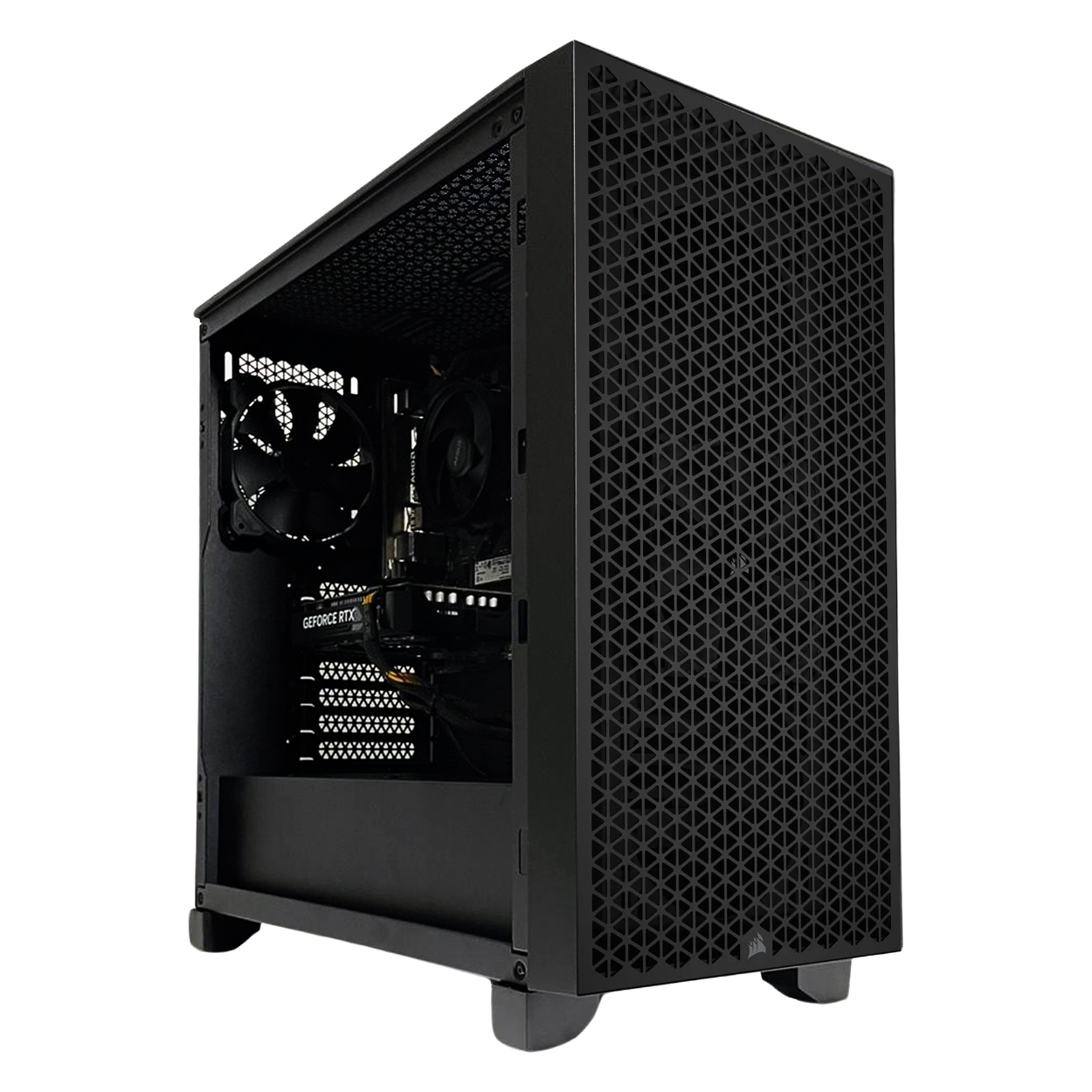
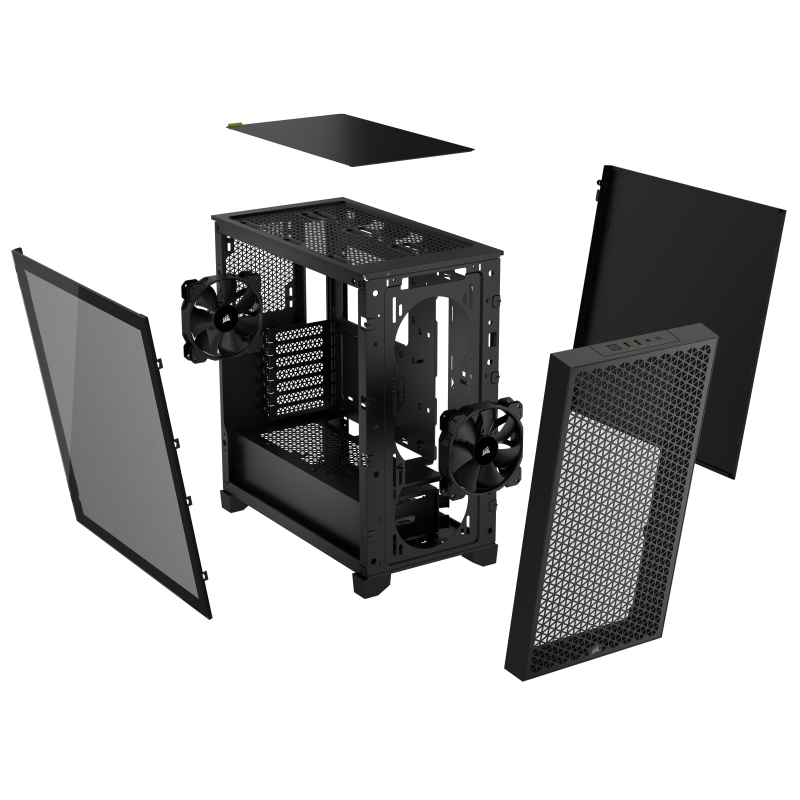
The Corsair 3000D AIRFLOW is a well-regarded mid-tower case built around a high-airflow design. Its steel front panel is perforated to maximise airflow to the components inside, helping maintain low operating temperatures during sustained workloads such as long video exports. The case ships with two pre-installed Corsair SP120 ELITE 120mm fans and the tempered glass side panel gives a clear view of the internal components. It is a practical, no-nonsense chassis that fits neatly on or under a desk without occupying excessive space. The Thermalright Assassin X 90 SE ARGB CPU cooler keeps the Core i5-14400F running cool and quiet during encoding and export tasks, rated to 140W TDP.
Wi-Fi 6, Bluetooth 5.2, 2.5GbE & 7.1 HD Audio
The ASUS Prime B760M-A WiFi DDR5 motherboard provides a strong connectivity package for a system at this price point. Wired networking runs at 2.5GbE via a Realtek LAN controller, offering substantially faster file transfers than standard Gigabit Ethernet, which is useful when working with large video files across a network. Wi-Fi 6 (802.11 a/b/g/n/ac/ax) is built in for wireless connectivity, and Bluetooth 5.2 allows wireless peripherals to be paired directly. Rear USB includes 2 x USB 3.2 Gen 2 Type-A and 4 x USB 2.0 ports. Audio is handled by a Realtek 7.1 Surround Sound HD Audio codec, with 3.5mm jacks at the rear for headphones, speakers, and microphones.
Ideal for
- Entry-level and hobbyist video editing at 1080p and basic 4K
- Students and content creators on a budget
- Everyday home and office computing with editing capability
- Buyers moving from a laptop to a desktop editing setup
- YouTube, social media, and short-form content production
The Entry Plus Video Editing Computer is the right choice for users who want a genuine GPU-accelerated editing experience without spending workstation money. It is well suited to 1080p editing in DaVinci Resolve, Adobe Premiere Pro, and CapCut, and handles basic 4K project work competently. Buyers who regularly edit long-form 4K RAW footage or multi-camera productions would benefit from stepping up to a higher-tier system with a more powerful GPU and additional VRAM, but for the majority of home, student, and hobbyist editing workflows, this Intel Core i5-14400F RTX 3050 video editing computer provides a well-balanced, practical starting point.
Built and tested in the UK by Punch Technology, every system comes with a 3-year parts and labour warranty and next-day delivery to UK mainland addresses, backed by over 30 years of PC building experience and our status as an AMD Elite System Builder.
Full Specification
Full Specification
| Processor | |
| CPU | Intel Core i5-14400F |
| Cores / Threads | 10 Cores / 16 Threads |
| Frequency | Base 2.5GHz / Max Turbo 4.7GHz |
| Cache | 9.5MB L2 / 20MB L3 |
| CPU Cooler | Thermalright Assassin X 90 SE ARGB (140W, 92mm) |
| Memory & Storage | |
| RAM | 32GB Kingston Fury Beast DDR5 5600MHz |
| Configuration | Dual Channel – 2 x 16GB |
| Max Supported | 192GB (4 x DIMM slots, 2 used) |
| Primary SSD | 1TB PCIe 4.0 NVMe M.2 SSD (6,000MB/s Read, 4,000MB/s Write) |
| Secondary Drive | 1TB 3.5″ Hard Drive |
| Optical Drive | None |
| Graphics & Display | |
| GPU | NVIDIA GeForce RTX 3050 8GB GDDR6 |
| Display Outputs | 3 x DisplayPort 1.4a & 1 x HDMI 2.1 (up to 4 monitors) |
| Motherboard & Connectivity | |
| Motherboard | ASUS Prime B760M-A WiFi DDR5 |
| Chipset | Intel B760 |
| Wired Networking | 2.5GbE LAN (Realtek) |
| Wireless | Wi-Fi 6 – Built-in (2.4GHz / 5GHz) |
| Bluetooth | Bluetooth 5.2 |
| Audio | 7.1 HD Audio (Realtek) |
| Rear & Front I/O (Input/Output) | |
| Rear Ports | 2 x USB 3.2 Gen 2 Type-A, 4 x USB 2.0 Type-A, 1 x DisplayPort 1.4, 2 x HDMI 2.1, 1 x 2.5GbE LAN, 3 x 3.5mm Audio Jacks, 1 x PS/2, Wi-Fi Antenna |
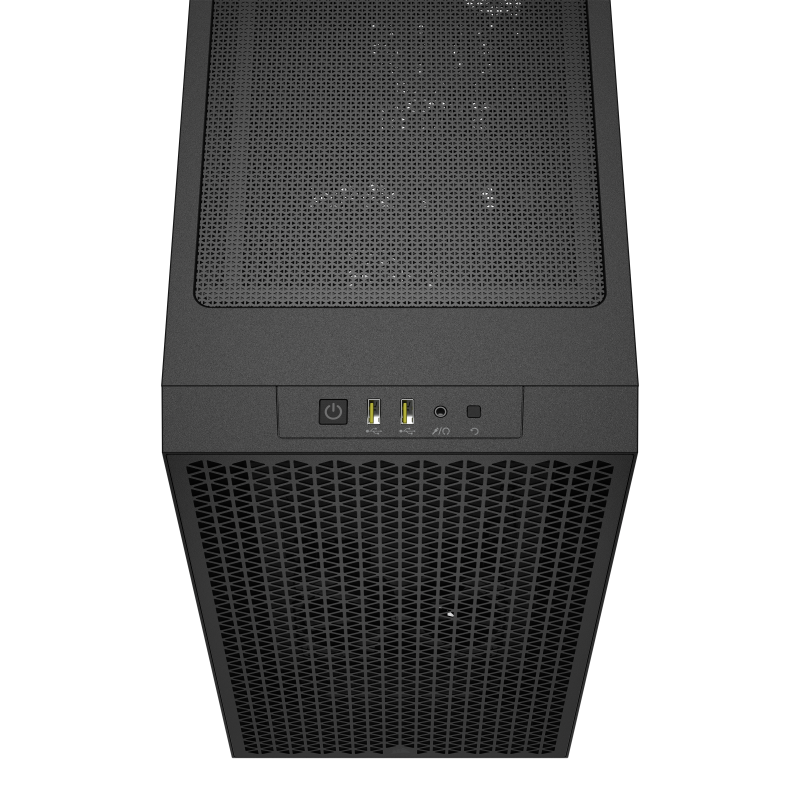
| Front/Top Case Ports | 2x USB 3.2 Gen 1 Type-A, Headphone/Mic Combo Jack |
| Motherboard Video (Disabled) | 1 x DisplayPort 1.4, 2 x HDMI 2.1 (disabled – no integrated graphics on i5-14400F) |
| Expansion & Internal Slots | |
| PCIe Slots | 1 x PCIe 4.0 x16 (GPU installed), 1 x PCIe 4.0 x16 (x4 mode), 1 x PCIe 4.0 x16 (x1 mode) |
| Storage Expansion | 2 x M.2 PCIe 4.0 slots (1 used, 1 free), 4 x SATA 6Gb/s (1 used, 3 free) |
| Power, Case & Cooling | |
| Power Supply | Contour 650W High Efficiency ATX |
| Chassis | Corsair 3000D AIRFLOW Mid-Tower – Black |
| Fans | 2x SP120 Fans Included |
| Liquid Cooling | None |
| Dimensions | 466 x 462 x 230 (mm) |
| Software & Support | |
| Operating System | Microsoft Windows 11 Home 64-bit (genuine, pre-installed) |
| Input Devices | No keyboard or mouse included |
| Warranty Cover | 3 Years, Parts & Labour |
| First Year | Free returns on warranty claims |




What is the Entry Plus Video Editing Computer best for?
The Entry Plus Video Editing Computer is primarily a 1080p video editing PC, and is well suited to hobbyist, student, and home content creators who need GPU-accelerated editing performance without workstation pricing. The combination of the Intel Core i5-14400F and RTX 3050 8GB handles GPU-accelerated timelines in DaVinci Resolve Free, Adobe Premiere Pro, CapCut, and Kdenlive at 1080p with smooth playback and faster exports than CPU-only systems. Basic 4K project work is also manageable, particularly at lower data rates and with proxy workflows enabled.
For specific applications, the RTX 3050’s NVENC encoder accelerates H.264 and H.265 exports in Premiere Pro and DaVinci Resolve, which meaningfully shortens export times for 1080p and entry-level 4K timelines. HandBrake video transcoding benefits from GPU acceleration for format conversions. CapCut desktop handles short-form social media editing efficiently. OBS Studio can be used for screen recording and basic streaming using NVENC without impacting system performance. The 32GB of DDR5 RAM provides comfortable headroom for running an editing application, a browser, and background tasks simultaneously without slowdowns.
Where does the Entry Plus sit in the range?
Buyers requiring professional 4K multi-stream editing, colour grading with DaVinci Resolve Studio, or sustained 8K project work would benefit from a higher-tier system with a more powerful GPU and greater VRAM. The Entry Plus replaces the need for a basic laptop-based editing setup and is the right step up for users whose current machine struggles with video exports, timeline playback, or running editing software alongside other applications.
Frequently Asked Questions
What software does the Entry Plus Video Editing Computer support?
The Entry Plus supports GPU-accelerated video editing in DaVinci Resolve Free, Adobe Premiere Pro, CapCut, Kdenlive, and HandBrake. In DaVinci Resolve and Premiere Pro, the RTX 3050 8GB enables GPU-accelerated rendering, colour correction, and hardware-encoded H.264 and H.265 exports via NVIDIA NVENC. CapCut desktop runs smoothly for short-form and social media content. OBS Studio can be used for screen recording and basic streaming. The 32GB of DDR5 RAM ensures all these applications run without memory-related slowdowns during typical editing sessions.
What resolution video can the Entry Plus edit?
The Entry Plus is designed primarily for 1080p video editing and handles 1080p timelines in DaVinci Resolve Free and Adobe Premiere Pro with smooth GPU-accelerated playback. Basic 4K project work is also supported, particularly using proxy workflows or at lower data rates such as H.264 4K footage from cameras and smartphones. Long-form 4K RAW or multi-camera 4K productions are better handled by a higher-tier system with a more powerful GPU and additional VRAM.
Can the Entry Plus be upgraded in the future?
Yes. The ASUS Prime B760M-A WiFi motherboard has two M.2 slots (one currently occupied by the primary NVMe SSD) and four SATA ports (one used by the hard drive), leaving room for additional storage. The four DIMM slots currently use two slots with 2 x 16GB, leaving two slots free for a RAM upgrade to 64GB or beyond. The PCIe 4.0 x16 slot can accept a future GPU upgrade. The 650W power supply provides reasonable headroom for a modest GPU upgrade.
Does this PC come with a keyboard and mouse?
No keyboard or mouse is included with the Entry Plus Video Editing Computer. Windows 11 Home is pre-installed and genuine, so the system is ready to use once a keyboard, mouse, and monitor are connected.
Who is this PC best suited for?
The Entry Plus Video Editing Computer is best suited to hobbyist and student video editors, YouTubers and social media content creators, and home users who want a capable desktop editing machine without a high-end budget. It is a strong choice for anyone moving from a basic laptop to a desktop editing setup, or for users whose current PC struggles with video exports and timeline playback. It is also well suited to general home and office use, with the editing capability available whenever it is needed.
Can the Entry Plus be configured with different components?
Yes. Punch Technology builds all systems to order and can configure the Entry Plus with different storage capacities, RAM amounts, or other components to suit your requirements. Contact us directly to discuss a custom configuration and we will provide a quote.


What others are saying
There are no contributions yet.