Building the perfect PC for Blender
Blender is one of the most versatile 3D applications available today, powering workflows from modelling and animation through to rendering and simulation. Whether you’re creating high-quality assets for games, producing animation, or tackling photorealistic rendering, your PC needs to handle demanding compute tasks without becoming a bottleneck. A well-balanced Blender workstation ensures smooth viewport performance, fast rendering, and the ability to handle large scenes with ease.
While Blender does provide official minimum and recommended specifications, these lists are designed to cover basic usage and don’t reflect the optimised hardware choices that professionals rely on. To get the most from Blender, it’s important to understand which components impact performance in different parts of the pipeline.
Key hardware considerations for Blender
Processor (CPU)
The CPU plays a crucial role in Blender, but the ideal choice depends on your workflow. Tasks like modelling, animation, and physics simulations benefit from strong single-core performance, whereas CPU-based rendering and heavy multitasking demand more cores.
Best CPUs for Blender

AMD Ryzen 9 9950X3D
With its blend of high core counts and massive cache, the 9950X3D is excellent for complex scenes and simulations. It delivers smooth viewport interactivity while still providing ample cores for rendering.
Intel Core Ultra 9 285K
This chip excels at single-threaded speed, making it ideal for animators and modelers who want fast, responsive performance in the viewport. Its hybrid architecture also ensures solid multitasking and rendering when needed.

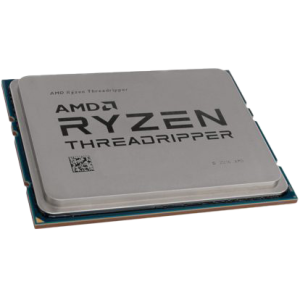
AMD Threadripper 7970X / 9970X
For professionals who need brute-force rendering power, Threadripper chips offer huge core counts and memory bandwidth. They’re particularly effective if you’re running CPU rendering engines or juggling multiple heavy applications alongside Blender.
How many cores do I need?
For most Blender users, CPUs in the 12–16 core range strike the best balance of cost and performance. Beyond that, higher core counts primarily help with CPU rendering, while viewport and general usability rely more on per-core speed.
Graphics card (GPU)
The GPU is often the most important component in a Blender PC, especially if you’re using Cycles with GPU acceleration. Modern NVIDIA GPUs dramatically speed up render times and can handle large scenes thanks to ample VRAM. AMD GPUs are supported in Blender, but NVIDIA’s CUDA and OptiX backends currently offer the best performance and compatibility.
Recommended GPUs for Blender
-
NVIDIA GeForce RTX 5090 / 5080 – Top-tier performance for GPU rendering, ideal for 4K+ workflows and massive scenes.
-
NVIDIA RTX 6000 Ada Generation – A workstation-class GPU with huge VRAM capacity, suited to studios handling extremely large datasets.
-
NVIDIA GeForce RTX 5070 / 5060 – Great balance of cost and performance for smaller studios and freelancers.
How much VRAM do I need?
VRAM determines the size and complexity of the scenes you can render directly on your GPU. For most 3D artists, 12–16GB is a safe minimum, while professionals working with film-quality assets may need 24GB or more.
Memory (RAM)
RAM requirements depend heavily on your projects. While Blender itself can run on modest amounts of memory, large scenes with high-resolution textures and complex simulations can quickly push beyond 32GB.
-
Minimum: 16GB (only for light work and learning)
-
Recommended: 32–64GB for general 3D workflows
-
High-end: 128GB+ for film, simulation, and large production work
As with other 3D software, more RAM won’t make things faster, but it prevents crashes and ensures you can work smoothly with large files.
Storage (HDD/SSD/NVME)
Fast storage is vital to keep project files and assets accessible. For Blender workstations, we recommend a multi-drive setup:
-
Primary (NVMe SSD): Operating system and applications. Ensures rapid boot and load times.
-
Secondary (NVMe SSD or SATA SSD): Active projects and assets. NVMe helps when handling large textures or caches.
-
Tertiary (SSD or HDD): Long-term storage and backups. HDDs are still cost-effective for archiving large asset libraries.
If you frequently work with heavy simulations (fluids, particles, smoke), having a dedicated NVMe cache drive can noticeably improve performance.
RECOMMENDED BLENDER PCS

SKU: 5060506947730
£6,683.00 (inc VAT)
- HAVN HS420 Premium Case Black + 8x The…
- AMD Ryzen 9 9950X 4.3GHz 16 Core CPU – 5.7GHz Turbo
- Gigabyte X870E AORUS ELITE WIFI7 ATX Motherboard
- NVidia GeForce RTX 5090 32GB GDDR7 GPU
- 128GB Crucial DDR5 5600Mhz CL46 (2x64GB)
- 1TB NVMe M.2 SSD (up to 6000MB/R, 4000MB/W)
- 16TB Seagate 3.5″ Ironwolf Pro HDD, 2 Years Rescue+DataRecovery on registration
- Corsair NAUTILUS 360 RS Liquid CPU Cooler
- Contour 1000W ATX 3.1 Full Modular High Efficiency PSU
- Built in Wi-Fi and Bluetooth
- Built in 5.1 Sound Card
- Microsoft Windows® 11 Professional

SKU: 5060959090007
£4,608.00 (inc VAT)
- Fractal Design Epoch XL Tower Black
- Intel Core Ultra 9 285K 3.7/5.7GHz 24 Core CPU
- Gigabyte Z890 AORUS ELITE WIFI7 Motherboard
- NVidia Quadro RTX 4000 ADA 20GB Professional GPU
- 64GB DDR5 6000MHz Memory (2x32GB)
- 1TB WD Black SN7100 M.2 PCIe 4.0 NVMe SSD [7250MB/s R, 6900MB/s W]
- 4TB WD Black SN7100 M.2 PCIe 4.0 NVMe SSD [7250MB/s R, 6900MB/s W]
- Corsair NAUTILUS 360 RS ARGB Liquid CPU Cooler
- Corsair RM850e Cybenetics Gold 850w Modular ATX 3.1 PSU
- Built in Wi-Fi and Bluetooth
- Built in 5.1 Sound Card
- 7 port USB 3.2 PCIe Card, 3 x USB 3.2 Type-A + 2 x Type-C + Internal Header
- Microsoft Windows® 11 Professional
- 2 x Be Quiet! Silent Wings 4 PWM – Black 140mm Case Fans
SKU: 5060506947051
£4,221.00 (inc VAT)
- Professional V-Ray / 3ds Max Workstation
- AMD Ryzen 9 9950X 16-Core CPU
- NVIDIA RTX 5080 16GB GDDR7 GPU
- 96GB DDR5 5600MHz (2x48GB)
- 2x 2TB WD Black SN7100 NVMe SSD
- be quiet! Silent Loop 3 360mm AIO
- Gigabyte X870E AORUS ELITE WIFI7
- 1000W FSP VITA ATX 3.1 PSU
- Fractal Design Epoch XL Case
- Wi-Fi 7, Bluetooth & High-Speed USB
- Microsoft Windows 11 Professional
SKU: 5060506946955
£5,403.00 (inc VAT)
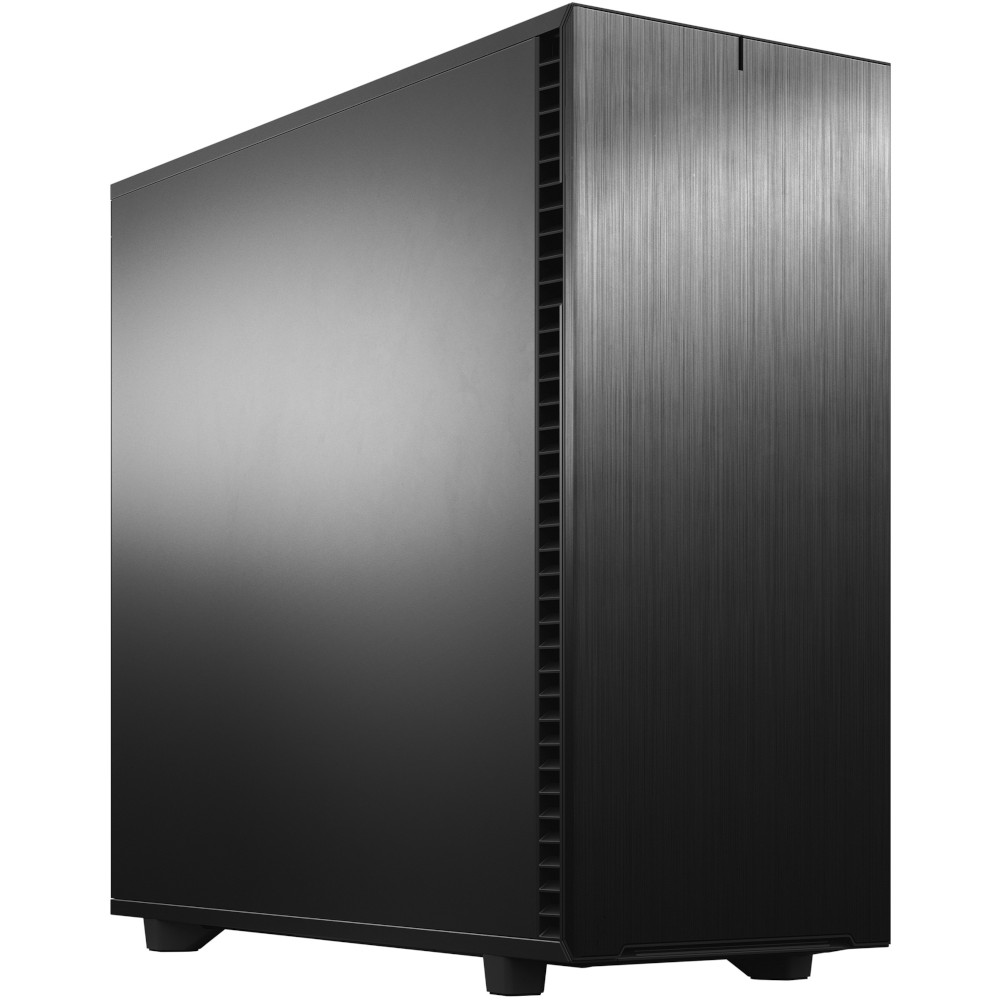
- Fractal Design Define 7 XL Solid
- Intel Core Ultra 9 285K 3.7/5.7GHz 24 Core CPU
- Asrock Phantom Z890 NOVA WIFI Motherboard
- NVidia GeForce RTX 5080 16GB GDDR7 GPU
- 96GB Kingston Fury Renegade DDR5 6000MHz CL32 (2x48GB)
- 2TB Crucial T710 M.2 NVMe PCIe 5.0 SSD (14500MB/R, 13800MB/W)
- 4TB Samsung 990 Pro M.2 NVMe PCIe 4.0 SSD (7450MB/R, 6900MB/W)
- 12TB Seagate 3.5″ Ironwolf Pro HDD, 2 Years Rescue+DataRecovery on registration
- Corsair NAUTILUS 360 RS Liquid CPU Cooler
- 1000W – FSP Vita 80+ Gold Modular ATX 3.1 PCIe5.1 PSU
- Built in Wi-Fi and Bluetooth
- Built in 5.1 Sound Card
- Microsoft Windows® 11 Professional
Punch Technology Ltd
Meyer Building
Wirral International Business Park
Bromborough
Wirral
CH62 3RH
Technical Support Number: 0151 3179860
Head Office Number: 0151 3179860
Company Number: 10250445
VAT Number: 245 0802 29
Trade Mark: UK00003257797
FCA Number is 809833.