Building the perfect PC for Autodesk AutoCAD
When it comes to drafting precise 2D drawings or developing detailed 3D models, Autodesk AutoCAD remains one of the most widely used tools across engineering, construction, and design industries. While the application is relatively light compared to some other design software, it has specific hardware requirements that can significantly impact how efficiently you work. A carefully designed workstation can make the difference between smooth, responsive navigation and frustrating slowdowns.
Autodesk publishes its own list of minimum and recommended system requirements for AutoCAD, but these are designed to ensure basic compatibility rather than optimal performance. If you want a workstation that delivers consistent speed and reliability in real-world workflows, choosing the right hardware components is key.
Key hardware considerations for Autodesk AutoCAD
Processor (CPU)
AutoCAD is highly dependent on CPU frequency, as most tasks within the software are single-threaded. This means that the raw speed of each core matters far more than the total number of cores.
Best CPUs for AutoCAD

Intel Core i7-14700K
Excellent single-core performance with strong multitasking ability for users running multiple applications alongside AutoCAD.
Intel Core Ultra 9 285K
One of the fastest chips available today, ideal for pushing maximum frequency for CAD workloads.

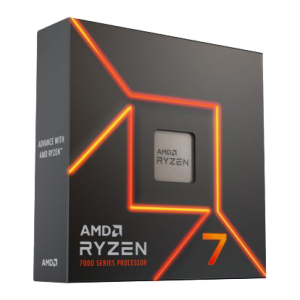
AMD Ryzen 7 9700X
A powerful alternative with high clock speeds and good efficiency, delivering fast response times when working with complex drawings.
How many cores do I need?
For AutoCAD, efficiency begins to plateau beyond 6–8 cores. More cores can help with multitasking or when rendering with other software, but for drafting and modelling inside AutoCAD itself, prioritising frequency over core count gives the best results.
Should I consider Xeon or overclocking?
Modern Xeon CPUs no longer offer major stability advantages over mainstream desktop CPUs, and they typically run at lower frequencies, making them less suitable for AutoCAD. Likewise, overclocking is not recommended for professional systems due to the risk of instability and reduced lifespan.
Graphics card (GPU)
The GPU is responsible for displaying your models, but AutoCAD is not especially graphics-intensive compared to 3D rendering software.
-
2D Drafting: GPU demands are minimal, so even an entry-level workstation card is sufficient.
-
3D Modelling: Performance scales with the GPU, but beyond a mid-range card you will see diminishing returns.
While gaming GPUs (GeForce RTX) may deliver good raw performance, they are not officially certified for AutoCAD. In a professional environment, certified workstation cards are the safer choice as they ensure full support from Autodesk.
Memory (RAM)
AutoCAD itself is fairly light on memory usage, but the size and complexity of your drawings – and the other applications you run alongside it – will dictate what you need.
-
Minimum: 16GB
-
Recommended: 32GB–64GB (for complex 3D projects or multitasking)
Given the low cost of RAM today, starting at 32GB is a sensible balance for most professional users.
Storage (HDD/SSD/NVME)
Storage speed directly impacts how fast your workstation boots, loads AutoCAD, and opens/saves project files.
We recommend a multi-drive configuration for best performance:
-
Primary Drive – NVMe SSD (500GB or more) for the operating system and AutoCAD installation. This ensures ultra-fast boot and application load times.
-
Secondary Drive – High-capacity SSD for active project files, giving you quick access and reduced save/load times.
-
Tertiary Drive / Backup – Traditional HDD or network-attached storage for archives and backups, offering large capacity at lower cost.
RECOMMENDED ADOBE PHOTOSHOP PCS
Whether you’re focused on 2D drafting, managing complex 3D models, or juggling AutoCAD alongside other professional applications, choosing hardware optimised for your specific workload will save you time and improve reliability.
Explore our range of AutoCAD-optimised workstations: purpose-built PCs designed to deliver the frequency, stability, and responsiveness that AutoCAD demands.
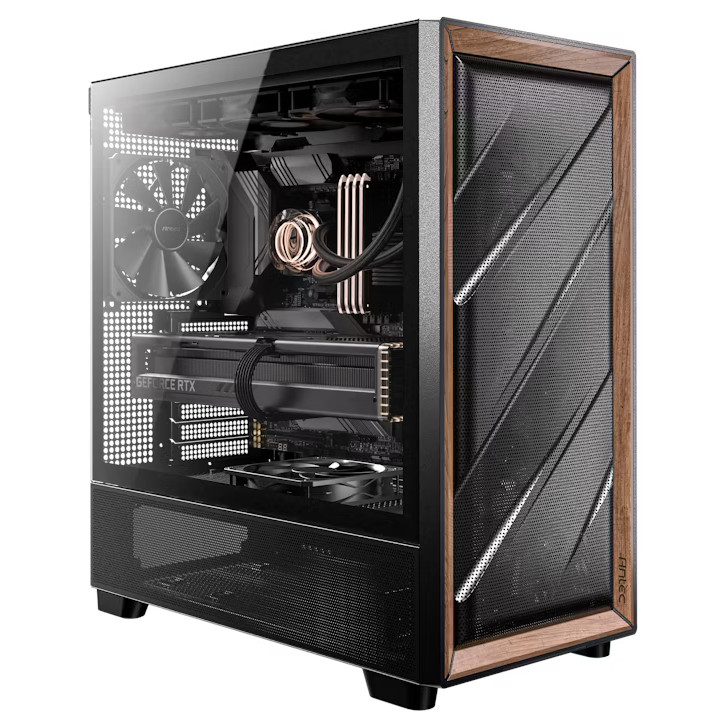
SKU: 5060506947945
£2,118.00 (inc VAT)
- Antec FLUX Gaming Case Black/Wood
- Intel Core Ultra 9 285 2.5/5.6GHz 24 Core CPU
- Gigabyte Z890 EAGLE WIFI7 Motherboard
- NVidia GeForce RTX 5060 Ti 8GB GDDR7 GPU
- 32GB Kingston Fury Beast DDR5 5600 C36 (2x16GB)
- 1TB NVMe M.2 SSD (up to 6000MB/R, 4000MB/W)
- Thermalright Phantom Spirit 120 SE ARGB 260w CPU Cooler
- Contour 750W ATX 3.1 High Efficiency PSU
- Built in Wi-Fi and Bluetooth
- Built in 5.1 Sound Card
- Microsoft Windows® 11 Professional
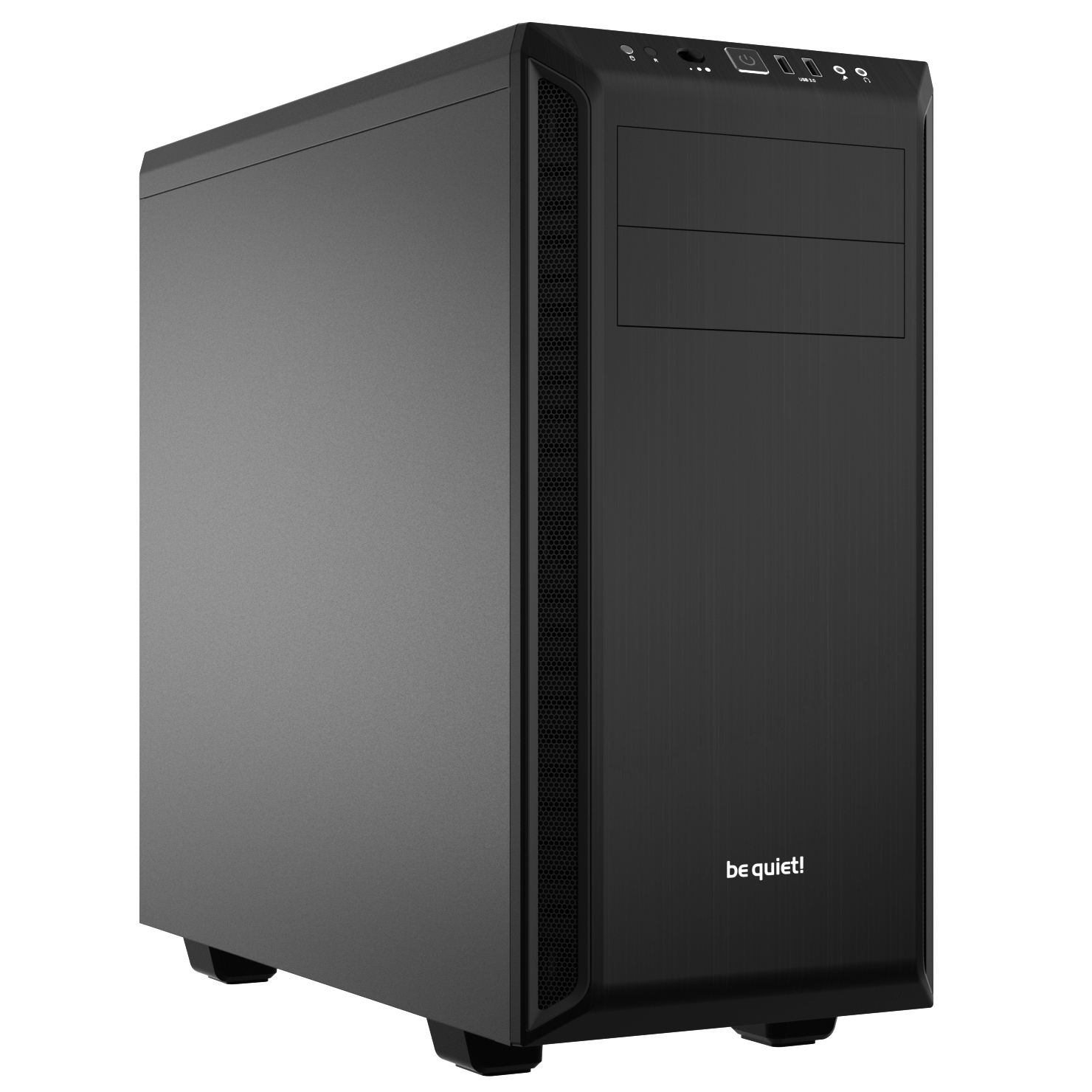
SKU: 5060506947167
£1,112.00 (inc VAT)
- Be Quiet! Pure Base 600 Black Case
- Intel Core i5-14400F 2.5/4.7GHz 10 Core, 16 Thread CPU
- ASUS Prime B760M-A WIFI DDR4 Motherboard
- NVidia RTX A400 4GB Workstation GPU
- 16GB DDR4 3200MHz Memory (2x8GB)
- 2TB NVMe M.2 SSD (up to 5000MB/R, 4200MB/W)
- Intel Laminar RH1 CPU cooler
- Contour 550W High Efficiency ATX PSU
- Built in Wi-Fi and Bluetooth
- Built in 5.1 Sound Card
- Microsoft Windows® 11 Professional

SKU: 5060959090007
£4,608.00 (inc VAT)
- Fractal Design Epoch XL Tower Black
- Intel Core Ultra 9 285K 3.7/5.7GHz 24 Core CPU
- Gigabyte Z890 AORUS ELITE WIFI7 Motherboard
- NVidia Quadro RTX 4000 ADA 20GB Professional GPU
- 64GB DDR5 6000MHz Memory (2x32GB)
- 1TB WD Black SN7100 M.2 PCIe 4.0 NVMe SSD [7250MB/s R, 6900MB/s W]
- 4TB WD Black SN7100 M.2 PCIe 4.0 NVMe SSD [7250MB/s R, 6900MB/s W]
- Corsair NAUTILUS 360 RS ARGB Liquid CPU Cooler
- Corsair RM850e Cybenetics Gold 850w Modular ATX 3.1 PSU
- Built in Wi-Fi and Bluetooth
- Built in 5.1 Sound Card
- 7 port USB 3.2 PCIe Card, 3 x USB 3.2 Type-A + 2 x Type-C + Internal Header
- Microsoft Windows® 11 Professional
- 2 x Be Quiet! Silent Wings 4 PWM – Black 140mm Case Fans
SKU: 5060959094937
£4,660.00 (inc VAT)
- Be Quiet! Pure Base 600 Black Case
- Intel Core Ultra 9 285K 3.7/5.7GHz 24 Core CPU
- ASUS PRIME Z890-P WIFI Motherboard
- NVIDIA RTX PRO 4000 24GB Blackwell Graphics Card 140W
- 64GB DDR5 6000MHz CL36 (2x32GB)
- 1TB NVMe M.2 SSD (up to 6000MB/R, 4000MB/W)
- 4TB NVMe M.2 SSD (6000MB/R, 5000MB/W)
- MSI MAG CORELIQUID A13 360mm Black
- Contour 850W ATX 3.1 High Efficiency PSU
- Built in Wi-Fi and Bluetooth
- Built in 5.1 Sound Card
- Microsoft Windows® 11 Professional
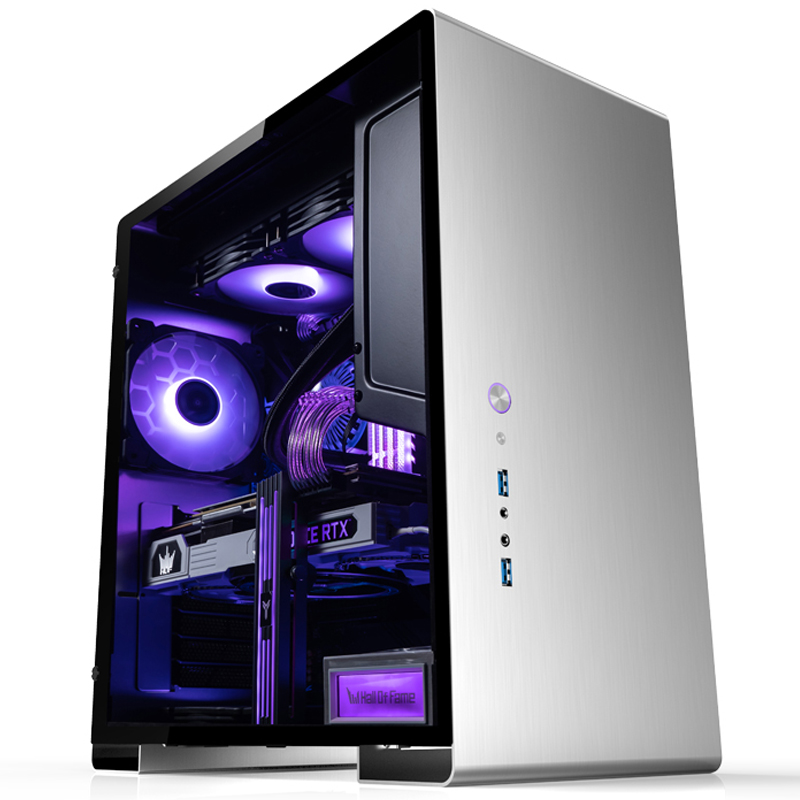
SKU: 5060959094883
£1,645.00 (inc VAT)
- Jonsbo U5 Silver Case
- Intel Core i7-12700KF 3.6/5.0GHz 12 Core, 20 Thread CPU
- ASUS TUF Gaming B760-PLUS WIFI DDR4 Motherboard
- NVidia RTX A1000 8GB Workstation GPU
- 32GB DDR4 3200MHz Memory (2x16GB)
- 1TB NVMe M.2 SSD (up to 6000MB/R, 4000MB/W)
- Thermalright Assassin King 120 SE 200w Cooler
- Contour 550W High Efficiency ATX PSU
- Built in Wi-Fi and Bluetooth
- Built in 5.1 Sound Card
- Microsoft Windows® 11 Professional
- 4 x Be Quiet! PureWings 2 PWM – Black 120mm Case Fans
SKU: 5060506949963
£2,057.00 (inc VAT)
- Be Quiet! Pure Base 600 Black Case
- Intel Core Ultra 7 265 2.4/5.2GHz 20 Core CPU
- Gigabyte Z890 UD Wifi 6E Motherboard
- NVidia RTX A1000 8GB Workstation GPU
- 32GB Kingston Fury Beast DDR5 5600 C36 (2x16GB)
- 2TB NVMe M.2 SSD (up to 5000MB/R, 4200MB/W)
- 2TB Seagate BarraCuda 3.5″ Hard Drive
- Thermalright Peerless Assassin 120 Mini 230W CPU Cooler
- Contour 650W High Efficiency ATX PSU
- Built in Wi-Fi and Bluetooth
- Built in 5.1 Sound Card
- Microsoft Windows® 11 Professional
Punch Technology Ltd
Meyer Building
Wirral International Business Park
Bromborough
Wirral
CH62 3RH
Technical Support Number: 0151 3179860
Head Office Number: 0151 3179860
Company Number: 10250445
VAT Number: 245 0802 29
Trade Mark: UK00003257797
FCA Number is 809833.