Building the perfect PC for Autodesk Revit
Autodesk Revit has become a cornerstone application in architecture, engineering, and construction (AEC) workflows. From creating detailed 3D building information models (BIM) to generating construction documents and visualisations, Revit requires a workstation that balances speed, reliability, and scalability.
Autodesk publishes its own minimum and recommended system requirements, but these lists are designed only to guarantee basic compatibility. If you want a workstation that will keep complex projects responsive, reduce rendering times, and scale with your workflows, then carefully selecting the right hardware is essential.
Key hardware considerations for Autodesk Revit
Processor (CPU)
Revit performance depends heavily on CPU design, but the best choice depends on whether your focus is designing or rendering.
-
Design and Modelling: Most Revit tasks are single-threaded, meaning higher CPU frequency is far more important than core count. A fast CPU will ensure smooth navigation and quick responsiveness when working with large BIM projects.
-
Rendering: Revit’s built-in Autodesk Raytracer (ART) can make use of multiple cores, so a higher core-count processor will reduce render times. That said, many professionals now prefer GPU-based rendering plug-ins, in which case the GPU becomes more important.
Best CPUs for Revit

Intel Core Ultra 9 285K
Extremely fast single-core performance for design workflows, with enough cores for multitasking.
Intel Core i7-14700K
A strong all-rounder balancing frequency and core count, ideal for mixed workloads.

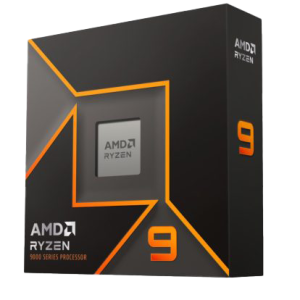
AMD Ryzen 9 9900X
High clock speeds plus extra cores for those who combine modelling with CPU-based rendering.
Should I consider Xeon or overclocking?
Modern Intel Xeon processors offer few advantages for Revit compared to Core or Ryzen CPUs, and they typically run at lower frequencies. Overclocking is not recommended for professional use due to the risks of instability and reduced component lifespan.
Graphics card (GPU)
In Revit, the GPU’s role is mainly to display your model smoothly on screen during panning, orbiting, and zooming. While not as demanding as rendering applications, GPU choice still matters – especially if you use GPU rendering plug-ins or VR visualisation.
-
NVIDIA RTX 4000 Ada (PRO Series) – A balanced, certified workstation card that handles large 3D projects reliably.
-
NVIDIA RTX PRO 5000/6000 Blackwell – High-end options for those using GPU-based rendering or VR workflows.
-
GeForce RTX 5070/5080 – Viable alternatives for users focused on cost-to-performance, though not officially certified by Autodesk.
While consumer GeForce cards can work well, certified RTX PRO cards are recommended for maximum reliability and long-term support in professional environments.
Memory (RAM)
Revit projects can grow in complexity and size, and insufficient memory quickly becomes a bottleneck.
-
Minimum: 32GB (for smaller projects)
-
Recommended: 64GB (handles BIM projects up to ~2GB smoothly, plus multitasking)
-
High-end: 96GB+ (for very large collaborative projects or when running Revit alongside other demanding applications such as 3ds Max or Enscape)
Given how affordable RAM is relative to productivity gains, most professionals will benefit from starting with at least 64GB.
Storage (HDD/SSD/NVME)
Fast storage is critical for quick project load times, smooth saving, and overall system responsiveness.
We recommend a multi-drive configuration:
-
Primary Drive – NVMe SSD (500GB or larger) for Windows and Revit installation. Provides ultra-fast boot and application load speeds.
-
Secondary Drive – High-capacity SSD for active project files, ensuring quick access and save performance.
-
Backup / Archive – Large HDD or network-attached storage for long-term storage and redundancy.
RECOMMENDED AUTODESK REVIT WORKSTATIONS
Whether your priority is fast, responsive BIM modelling, cutting rendering times, or balancing multiple AEC applications, building a workstation optimised for Revit will transform your workflow efficiency.
Explore our range of Revit-optimised workstations designed to deliver the speed, stability, and scalability that architects and engineers rely on every day.
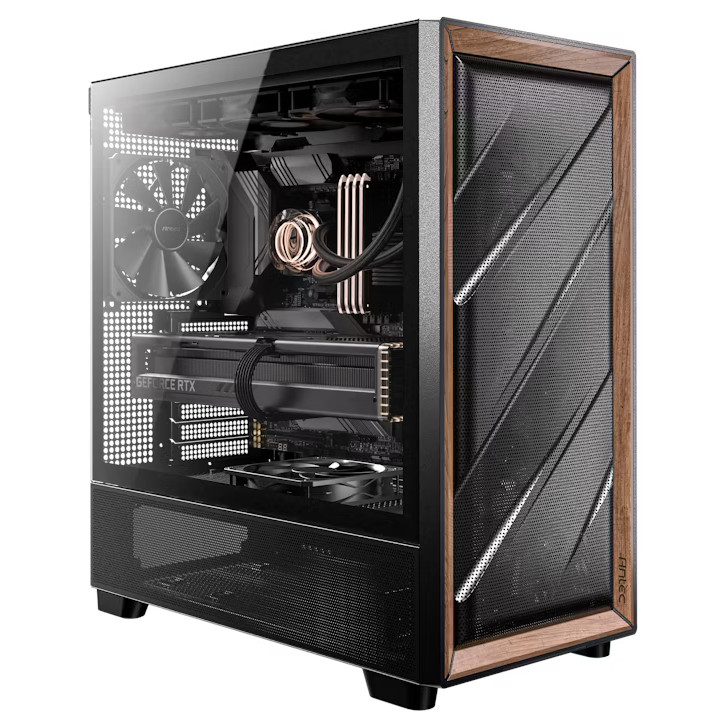
SKU: 5060506947945
£2,367.00 (inc VAT)
- Antec FLUX Wood/Black
- Intel Core Ultra 9 285 5.6GHz 24 Core CPU
- Gigabyte Z890 EAGLE WIFI7 Motherboard
- NVIDIA GeForce RTX 5060 Ti 8GB GPU
- 32GB DDR5 5600MHz CL36 (2x16GB)
- 1TB M.2 PCIe 4.0 NVMe SSD
- Thermalright Phantom Spirit 120 SE ARGB
- Contour 750W ATX 3.1 PSU
- Built in Wi-Fi and Bluetooth
- Built in 7.1 Sound Card
- Microsoft Windows® 11 Professional

SKU: 5060959090007
£4,892.00 (inc VAT)
- Fractal Design Epoch XL Black
- Intel Core Ultra 9 285K 5.7GHz 24 Core CPU
- Gigabyte Z890 AORUS ELITE Motherboard
- NVIDIA RTX 4000 Ada Generation 20GB GPU
- 64GB DDR5 6000MHz CL36 Memory (2x32GB)
- 1TB WD Black SN7100 M.2 PCIe 4.0 NVMe SSD
- 4TB WD Black SN7100 M.2 PCIe 4.0 NVMe SSD
- Corsair NAUTILUS 360 RS ARGB
- Corsair RM850e 850W ATX 3.1 PSU
- Built in Wi-Fi and Bluetooth
- Built in 7.1 Sound Card
- 7 port USB 3.2 PCIe Card with Header
- Microsoft Windows® 11 Professional
- 2 x Be Quiet! Silent Wings 4 140mm Fans
Punch Technology Ltd
Meyer Building
Wirral International Business Park
Bromborough
Wirral
CH62 3RH
Technical Support Number: 0151 3179860
Head Office Number: 0151 3179860
Company Number: 10250445
VAT Number: 245 0802 29
Trade Mark: UK00003257797
FCA Number is 809833.