Building the perfect PC for V-Ray
When it comes to high-quality rendering for architectural visualisation, product design, or VFX, V-Ray is one of the most powerful tools available. Whether you rely on CPU rendering, GPU rendering, or a hybrid workflow, your hardware is the foundation of your performance. A well-designed workstation should speed up your renders, allow for smooth viewport performance, and handle complex scenes without bottlenecks or crashes.
While Chaos provides minimum and recommended requirements for V-Ray, these often cover only the basics needed to run the software. To get the most out of your workflow, particularly for demanding commercial projects, you’ll want to invest in optimised hardware that balances raw speed with stability and efficiency.
Key hardware considerations for V-Ray
Processor (CPU)
V-Ray supports both CPU rendering and GPU rendering, so the CPU’s role depends on your workflow. For those who rely on CPU rendering, core count and architecture are critical, while for GPU rendering the CPU acts as the system’s backbone, feeding data to your GPUs.
Best CPUs for Adobe Photoshop
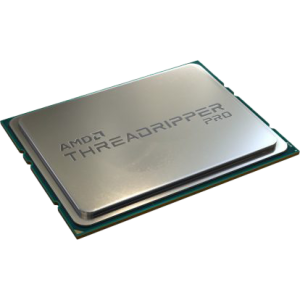
AMD Ryzen Threadripper 7995WX
With 96 cores and immense memory bandwidth, this workstation-class CPU is unmatched for pure CPU rendering, scaling nearly linearly with core count.
AMD Ryzen Threadripper 7970X / 7960X
High-core count CPUs with excellent performance for artists who need CPU rendering power but at a lower price point than the 7995WX.
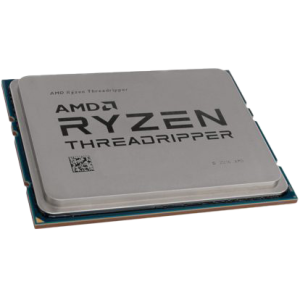

AMD Ryzen 9 9950X3D
A strong choice for hybrid workflows and artists who also use GPU rendering, with excellent single-threaded speed for general tasks and high core counts for flexibility.
Intel Core Ultra 9 285K
Intel’s latest high-end desktop CPU, combining strong single-core speeds with high thread counts, making it a versatile option for users who split their workloads between rendering and creative applications.

How many cores do I need?
For CPU rendering in V-Ray, more cores almost always means faster renders. However, beyond 64 cores, scaling efficiency starts to diminish unless your projects are extremely demanding. For hybrid GPU workflows, prioritise fewer cores with higher single-threaded performance.
Graphics card (GPU)
For many users today, V-Ray GPU rendering is the preferred workflow. Modern NVIDIA RTX GPUs dominate this space, thanks to CUDA and OptiX support.
-
NVIDIA RTX 5090 – The most powerful consumer GPU available, offering huge CUDA core counts and VRAM, making it ideal for large, complex V-Ray scenes.
-
NVIDIA RTX 5080 – A strong choice for high-performance GPU rendering with excellent performance per pound, suitable for professional workloads without the extreme cost of the 5090.
-
NVIDIA RTX 6000 Ada – For studios needing stability, large VRAM pools (48GB), and certified drivers, this workstation-class GPU is unmatched.
Multi-GPU setups:
V-Ray scales very well with multiple GPUs, so if rendering speed is your top priority, a dual-GPU or even quad-GPU setup will dramatically cut render times. Be mindful of system cooling, case size, and PSU requirements.
Memory (RAM)
Rendering with V-Ray can consume large amounts of RAM, especially with high-resolution textures and detailed geometry. Running out of memory forces the system to cache to disk, which slows performance dramatically.
-
Minimum: 32GB (for small to medium projects)
-
Recommended: 64GB+ (for professional work)
-
High-end: 128GB–256GB (for complex scenes and large architectural visualisation projects)
ECC memory is worth considering if you’re building a workstation that will be rendering around the clock, where stability is crucial.
Storage (HDD/SSD/NVME)
Fast storage reduces load times and speeds up caching. A multi-drive setup works best for V-Ray:
-
Primary drive (OS & applications): 1TB+ NVMe SSD
-
Project drive: 2TB+ NVMe SSD for active projects
-
Archive/storage drive: Large capacity HDD or SATA SSD for completed renders and backups
-
Scratch disk: Optional dedicated NVMe SSD for caching, useful in complex GPU rendering workflows
RECOMMENDED V-RAY WORKSTATIONS

SKU: 5060506947730
£8,350.00 (inc VAT)
- HAVN HS420 Premium + 8x Thermalright Fans
- AMD Ryzen 9 9950X 5.7GHz 16 Core CPU
- Gigabyte X870E AORUS ELITE Motherboard
- NVIDIA GeForce RTX 5090 32GB GPU
- 128GB Crucial DDR5 5600MHz CL46 (2x64GB)
- 1TB WD Blue SN5100 M.2 PCIe 4.0 NVMe SSD
- 16TB Seagate IronWolf Pro 3.5in SATA HDD
- Corsair NAUTILUS 360 RS AIO CPU Cooler
- Contour 1000W ATX 3.1 PSU
- Built in Wi-Fi and Bluetooth
- Built in 7.1 Sound Card
- Microsoft Windows® 11 Professional

SKU: 5060959090007
£4,892.00 (inc VAT)
- Fractal Design Epoch XL Black
- Intel Core Ultra 9 285K 5.7GHz 24 Core CPU
- Gigabyte Z890 AORUS ELITE Motherboard
- NVIDIA RTX 4000 Ada Generation 20GB GPU
- 64GB DDR5 6000MHz CL36 Memory (2x32GB)
- 1TB WD Black SN7100 M.2 PCIe 4.0 NVMe SSD
- 4TB WD Black SN7100 M.2 PCIe 4.0 NVMe SSD
- Corsair NAUTILUS 360 RS ARGB
- Corsair RM850e 850W ATX 3.1 PSU
- Built in Wi-Fi and Bluetooth
- Built in 7.1 Sound Card
- 7 port USB 3.2 PCIe Card with Header
- Microsoft Windows® 11 Professional
- 2 x Be Quiet! Silent Wings 4 140mm Fans
SKU: 5060506947051
£4,996.00 (inc VAT)
- Fractal Design Epoch XL Black
- AMD Ryzen 9 9950X 5.7GHz 16 Core CPU
- Gigabyte X870E AORUS ELITE Motherboard
- NVIDIA GeForce RTX 5080 16GB GPU
- 96GB Crucial Pro DDR5 5600MHz (2x48GB)
- 2 x 2TB WD Black SN7100 M.2 PCIe 4.0 NVMe SSD
- Be Quiet! Silent Loop 3 360mm All-in-one
- FSP Vita 1000W 80 Plus Gold ATX 3.1 PSU
- Built in Wi-Fi and Bluetooth
- Built in 7.1 Sound Card
- Microsoft Windows® 11 Professional
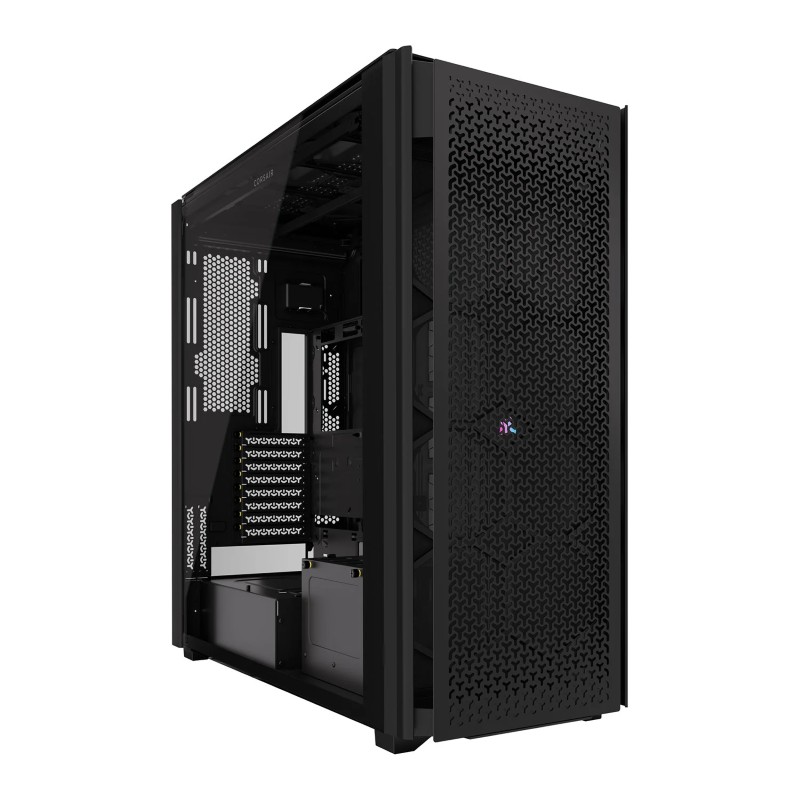
SKU: 5060959094081
£39,743.00 (inc VAT)
- Corsair 9000D RGB Airflow Black
- AMD Ryzen Threadripper Pro 9995WX 96 Core
- ASUS Pro WS WRX90E-SAGE SE Workstation
- NVIDIA GeForce RTX 5090 32GB GPU
- 2 x NVIDIA RTX 5090 32GB Liquid Cooled (AIO)
- 256GB DDR5 ECC RDIMM 5600MHz CL46 (4x64GB)
- 2TB Crucial T710 M.2 PCIe 5.0 NVMe SSD
- Be Quiet! Silent Loop 3 420mm All-in-one
- 3300W Dual 2000w ATX + 1300w SFX ATX 3.0
- Built in 7.1 Sound Card
- Microsoft Windows® 11 Professional
- 10 x Silent Wings Pro 4 120mm Fans
SKU: 5060959094098
£28,332.00 (inc VAT)
- Corsair 9000D RGB Airflow Black
- AMD Ryzen Threadripper 9960X 24 Core
- Gigabyte TRX50 AI TOP-2B Threadripper ECC
- NVIDIA GeForce RTX 5090 32GB GPU
- 2 x NVIDIA RTX 5090 32GB Liquid Cooled (AIO)
- 256GB DDR5 ECC RDIMM 5600MHz CL46 (4x64GB)
- 2TB WD Black SN7100 M.2 PCIe 4.0 NVMe SSD
- Arctic Freezer 4U-M CPU Cooler
- 3300W Dual 2000w ATX + 1300w SFX ATX 3.0
- Built in 7.1 Sound Card
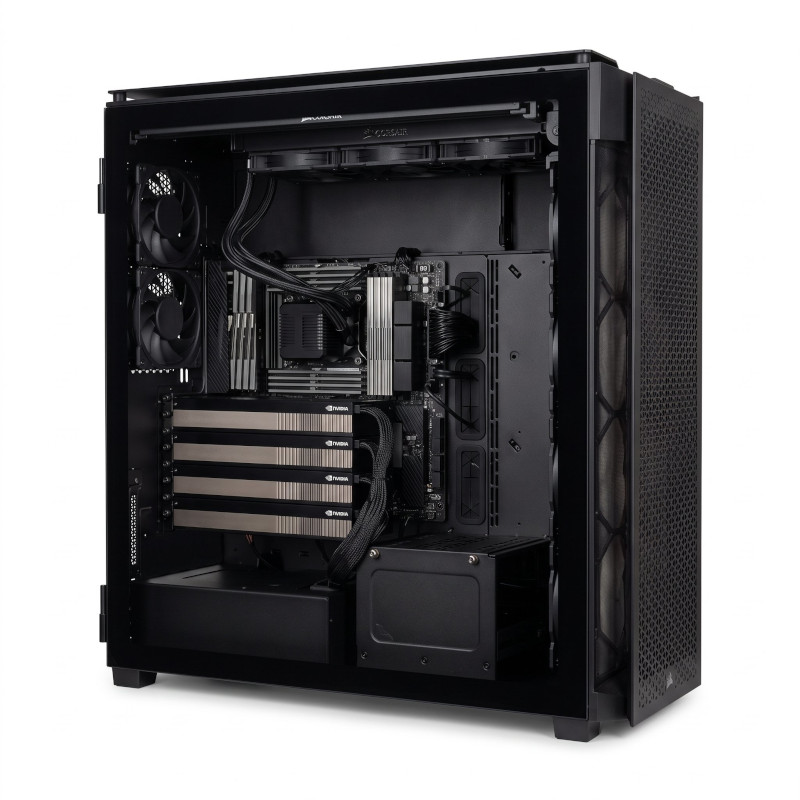
SKU: 5060959093381
£78,824.00 (inc VAT)
- Corsair 9000D RGB Airflow Black
- AMD Ryzen Threadripper Pro 5975WX 32 Core
- ASUS PRO WS WRX80E-SAGE SE Workstation ECC
- 2 x NVIDIA RTX PRO 6000 Blackwell Max-Q
- 2 x NVIDIA RTX PRO 6000 Blackwell Max-Q
- 512GB DDR4 ECC RDIMM 3200MHz (8x64GB)
- 1TB WD Blue SN5100 M.2 PCIe 4.0 NVMe SSD
- 2TB WD Black SN7100 M.2 PCIe 4.0 NVMe SSD
- Be Quiet! Silent Loop 3 420mm All-in-one
- FSP Cannon Pro 2500W ATX 3.1 PSU
- Built in Wi-Fi and Bluetooth
- Built in 7.1 Sound Card
- Microsoft Windows® 11 Professional
- 10 x Silent Wings Pro 4 120mm Fans
Punch Technology Ltd
Meyer Building
Wirral International Business Park
Bromborough
Wirral
CH62 3RH
Technical Support Number: 0151 3179860
Head Office Number: 0151 3179860
Company Number: 10250445
VAT Number: 245 0802 29
Trade Mark: UK00003257797
FCA Number is 809833.