Building the perfect PC for Adobe Lightroom Classic
If you’re looking to build a custom PC tailored to Adobe Lightroom Classic, our ultimate buyers guide is here to explain the optimal component choices. Optimising your hardware setup ensures seamless performance, faster workflows, and the power to handle demanding tasks like exporting, generating previews, and editing high-resolution images.
Our guide breaks down everything you need to know about choosing the ideal components for your Lightroom Classic workstation, with insights into system requirements, hardware benchmarks, and practical recommendations.
System requirements of Adobe Lightroom Classic
Adobe provides a list of system requirements for running Lightroom Classic, but as is often the case with manufacturer recommended specs, these guidelines often represent the minimum specs, not what’s best for peak performance. Outdated lists or generic recommendations may result in underpowered hardware that slows you down.
At Punch Technology, we take the guesswork out of the equation by rigorously testing and benchmarking hardware to identify the best components for Lightroom Classic. Explore our tailored recommendations to build a system that’s not just functional but optimised for efficiency and speed.
Key hardware considerations for Lightroom Classic
Processor (CPU)
The CPU is the cornerstone of your Lightroom Classic workstation. While Adobe has improved GPU acceleration, the CPU still has the most significant impact on performance. However, it’s not just about buying the most expensive processor—Lightroom performs best with CPUs that balance core count and clock speed.
Best CPUs for Lightroom Classic

Intel Core Ultra 9 285K
With 24 cores and a max clock speed of 5.7GHz, the Intel Core Ultra 9 285K makes a great option for a lightroom optimised workstation, offering exceptional performance for both editing and exporting.
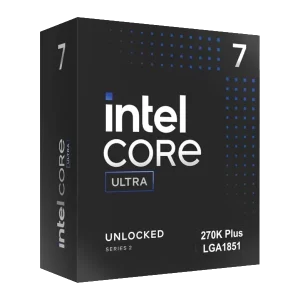
Intel Core Ultra 7 270K Plus
With a great balance of high clock speeds and core count, the Intel Core Ultra 7 270K Plus is another excellent choice for a Lightroom Classic system. Not only does this CPU offer exceptional single-thread performance for editing tasks, it’s also extremely efficient at multi-threaded tasks such as exporting workflows. With support for DDR5 memory and PCIe 5.0, the Core Ultra 270K Plus also represents a great cost efficient option.
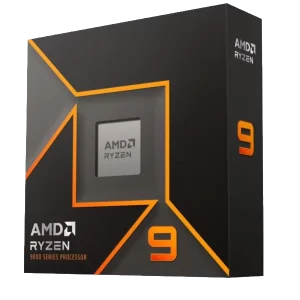
AMD Ryzen 9 9900X
The AMD Ryzen 9 9900X also delivers a well balanced setup for Lightroom Classic, with its 12-core architecture and clock speeds of up to 5.6GHz. Excellent single-core performance means editing is fast and smooth, but thanks to the additional cores, multi-threaded processes such as exporting are also a breeze. The Ryzen 9 9900X also offers great energy efficiency and support for next-gen technology like DDR5 memory and PCIe 5.0.
How many cores do I need?
Lightroom Classic benefits from up to 8 cores for most tasks, with diminishing returns beyond that. Focus on single-thread performance for general editing tasks, and consider higher core counts only if exporting or batch processing dominates your workflow.
Graphics Card (GPU)
While Lightroom Classic primarily relies on the CPU, Adobe has steadily integrated GPU acceleration for specific tasks, including AI features like Enhance Details. Investing in a capable GPU can future-proof your system as Adobe continues expanding GPU utilisation.
Recommended GPU

RTX 5060 Ti
With 8GB of GDDR7 memory, the RTX 5060 Ti utilises the ultra-efficient NVIDIA Ada Lovelace architecture and can supercharge your creative process thanks to NVIDIA Studio. It represents a great balance between cost and performance and can handle other, related applications such as Photoshop, with ease. It is also perfect if you’re using a 4K display.
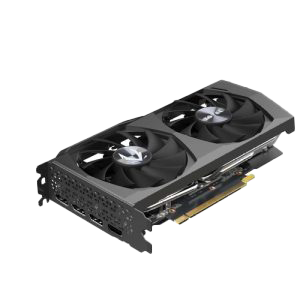
RTX 3050
The RTX 3050 is a great option for anyone looking for a balance between price and performance. It is perfect for handling large RAW files, high resolution images and even multiple 4K monitors and because Lightroom isn’t a particularly GPU intensive application, you will have no problems running through common photography workflows.
Memory (RAM)
Lightroom Classic thrives on adequate RAM, especially when working with large catalogues or high-resolution images.
- How much RAM do you need?
- 16GB: Minimum for basic workflows.
- 32GB: Ideal for most users and multitasking with other applications.
- 64GB or More: Recommended for professionals working with large files or extensive batch processing.
Storage: Speed and capacity matters
Efficient storage is critical for fast file access and smooth workflow. Modern drives like SSDs and NVMe storage ensure Lightroom runs at peak performance.
Optimal Storage Setup
-
- Primary Drive (OS & Software): A fast SSD or NVMe drive for your operating system and Lightroom installation.
- Secondary Drive (Photos & Catalogs): A high-capacity SSD or platter drive for storing projects. NVMe drives offer speed but may not always justify the cost for secondary storage.
External Storage Considerations
While external drives are convenient for backups, they may introduce latency when used directly for editing. For the best experience, work from an internal drive or invest in high-speed NAS systems for shared workflows.
RECOMMENDED ADOBE LIGHTROOM CLASSIC PCS
SKU: 5060959093916
£1,270.00 (inc VAT)
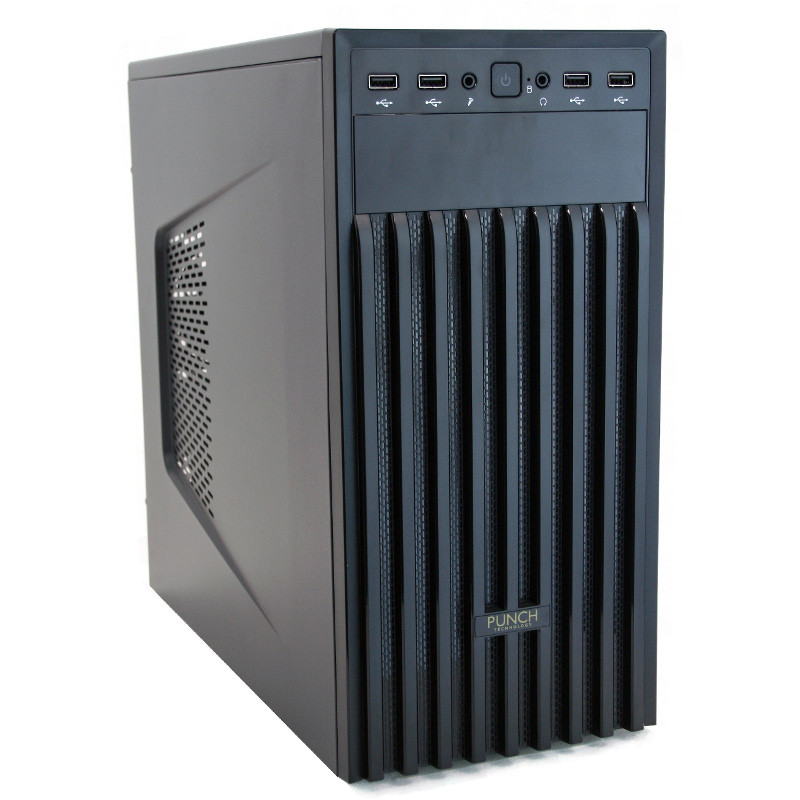
- Contour LP-2001 Black
- Intel Core i5-14400F 4.70GHz 10 Core CPU
- ASUS PRIME H610M-A WIFI D4 Motherboard
- NVIDIA GeForce RTX 3050 6GB GPU
- 32GB DDR4 3200MHz (2x16GB)
- 1TB M.2 PCIe 4.0 NVMe SSD
- 2TB Seagate BarraCuda 3.5in SATA HDD
- Intel Standard CPU Cooler
- Contour 550W ATX PSU
- Built in Wi-Fi and Bluetooth
- Built in 7.1 Sound Card
- Microsoft Windows® 11 Home

SKU: 5060959093923
£1,773.00 (inc VAT)
- Vida Stealth Silent Black
- Intel Core i5-14600KF 5.3GHz 14 Core CPU
- ASUS Prime B760M-A D4 Micro Motherboard
- NVIDIA GeForce RTX 5060 8GB GPU
- 32GB DDR4 3200MHz (2x16GB)
- 2TB M.2 PCIe 4.0 NVMe SSD
- 4TB Seagate BarraCuda 3.5in SATA HDD
- Thermalright Phantom Spirit 120 SE ARGB
- Contour 650W ATX PSU
- Built in Wi-Fi and Bluetooth
- Built in 7.1 Sound Card
- Microsoft Windows® 11 Home
Punch Technology Ltd
Meyer Building
Wirral International Business Park
Bromborough
Wirral
CH62 3RH
Technical Support Number: 0151 3179860
Head Office Number: 0151 3179860
Company Number: 10250445
VAT Number: 245 0802 29
Trade Mark: UK00003257797
FCA Number is 809833.