





AMD Ryzen 7 7800X3D RTX 5080 Flight Simulator PC – Built in the UK
The Flight Sim PC – Ryzen 7 7800X3D, RTX 5080 is a high-end flight simulator PC for MSFS 2024, DCS World and X-Plane 12, built for detailed scenery, add-on aircraft and VR.
This 7800X3D RTX 5080 flight simulator PC pairs an AMD Ryzen 7 7800X3D processor with an NVIDIA GeForce RTX 5080 16GB graphics card, 64GB of DDR5 memory and a 2TB NVMe SSD. Flight simulators depend heavily on one fast simulation thread, so the build puts a 5.0GHz maximum turbo clock and 96MB of L3 cache first, then adds the graphics power for high-resolution displays and VR headsets. It is built to order in the UK, and you can change parts in the configurator before you buy.
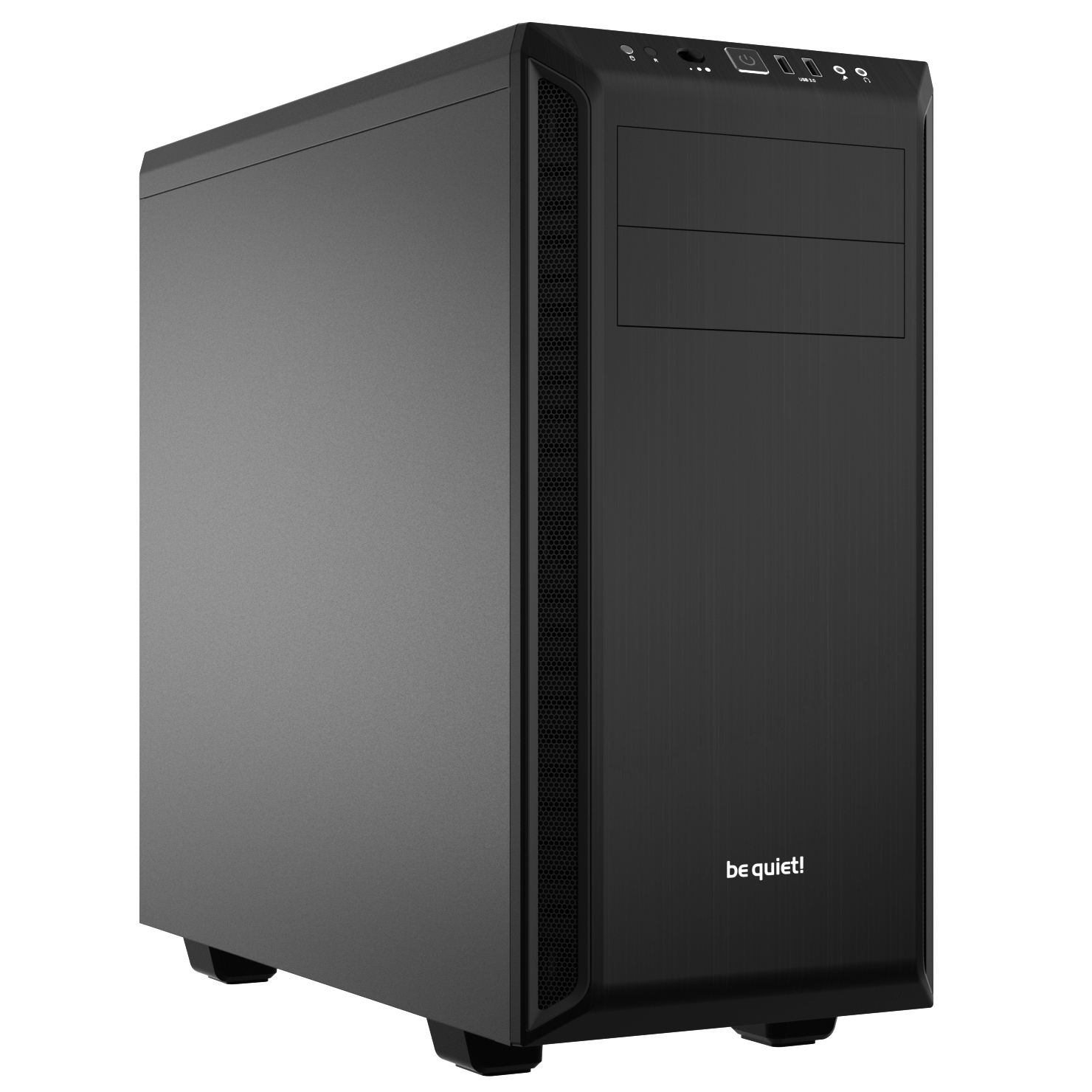
The Flight Sim PC – Ryzen 7 7800X3D, RTX 5080 is built on an AMD Ryzen 7 7800X3D with 8 cores and 16 threads, fitted to a Gigabyte B650 EAGLE AX ATX motherboard. It has an NVIDIA GeForce RTX 5080 with 16GB of GDDR7, 64GB of DDR5 6000MHz memory (2 x 32GB) and a 2TB WD Blue SN5100 M.2 PCIe 4.0 NVMe SSD. It is cooled by a Thermalright Assassin King 120 SE air cooler, powered by a Corsair RM850e 850W 80 Plus Gold power supply and housed in a Be Quiet! Pure Base 600 Black case. It comes with Microsoft Windows 11 Home (genuine, pre-installed) and a 3-year parts and labour warranty.
Ryzen 7 7800X3D processor for flight simulation
The AMD Ryzen 7 7800X3D has 8 cores and 16 threads, a base clock of 4.2GHz and a maximum turbo clock of 5.0GHz, with 96MB of L3 cache. The main simulation thread in MSFS 2024, DCS World and X-Plane 12 cannot be spread across many cores, so a high single-core boost clock and a large cache matter more here than a long core count. The remaining cores and threads look after background tasks and the add-on tools you run alongside the simulator. The processor uses the AM5 socket, which gives the platform DDR5 memory.
NVIDIA GeForce RTX 5080 16GB graphics
The NVIDIA GeForce RTX 5080 has 10,752 cores and 16GB of GDDR7 memory, and it is rated at 360W. VRAM is the figure that matters most for flight simulation: 8GB is adequate for standard settings at 1080p and 1440p, while 12GB or more is the sensible target for VR or heavy photogrammetry add-ons. With 16GB, this card sits above that target. The graphics card provides 3 x DisplayPort 2.1b and 1 x HDMI 2.1b, so you can run up to four monitors for a multi-screen cockpit. The exact port layout may vary by card brand.
64GB DDR5 memory and 2TB NVMe storage
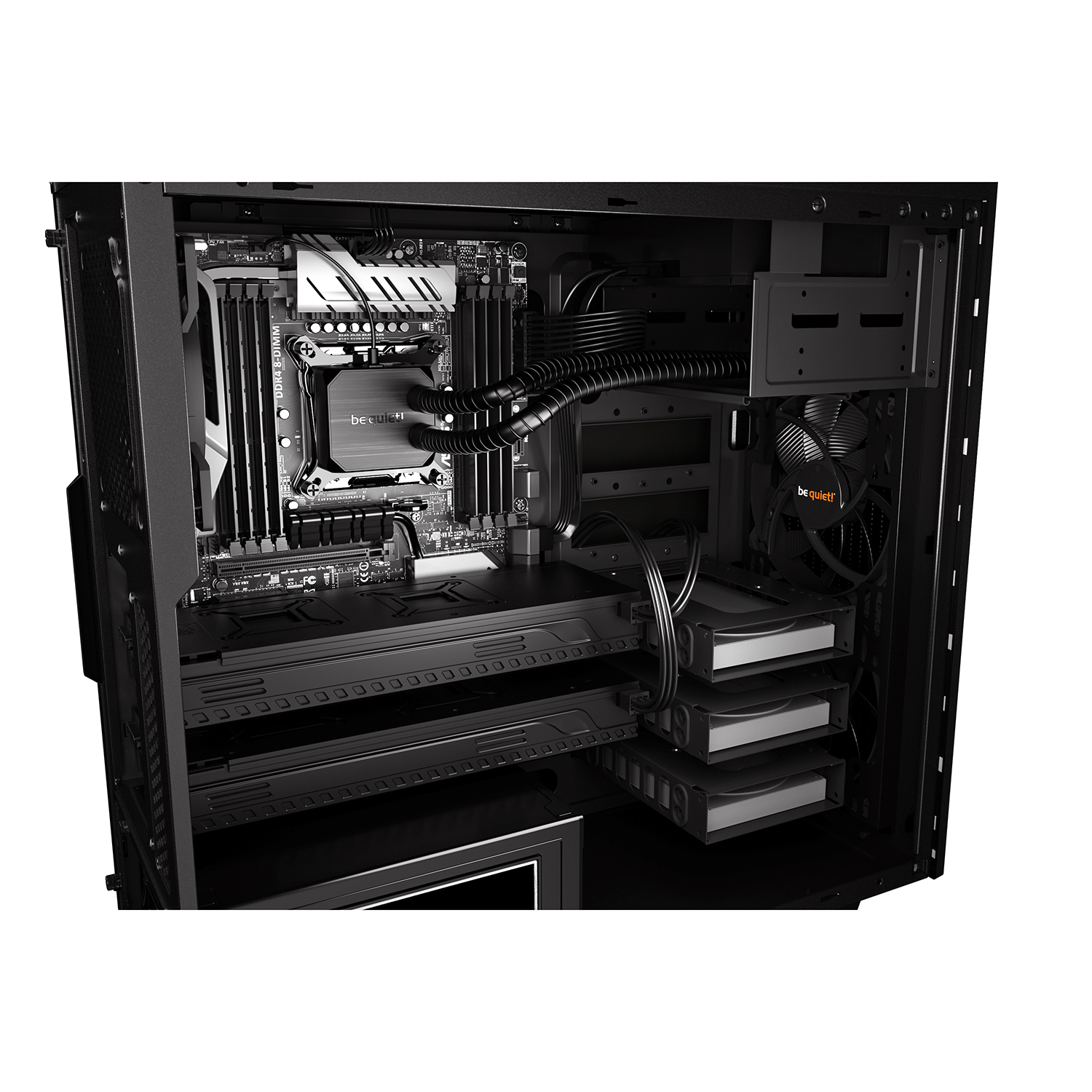
The 64GB DDR5 6000MHz CL36 memory runs as a dual-channel kit of 2 x 32GB. That leaves plenty of room for the simulator, your add-ons and the other programs open beside them. The motherboard has 4 DIMM slots and supports up to 192GB, with 2 slots used, so memory can be expanded later. The 2TB WD Blue SN5100 M.2 PCIe 4.0 NVMe SSD (7100MB/s read, 6700MB/s write) holds Windows, the simulator and your add-on library. Storage space is a genuine consideration, because MSFS 2024 World Updates can exceed 300GB on their own. Two M.2 slots are still free, along with four SATA 6Gb/s ports, and the case has mounts for 3 x 3.5″ and 8 x 2.5″ drives.
Be Quiet! Pure Base 600 case and air cooling
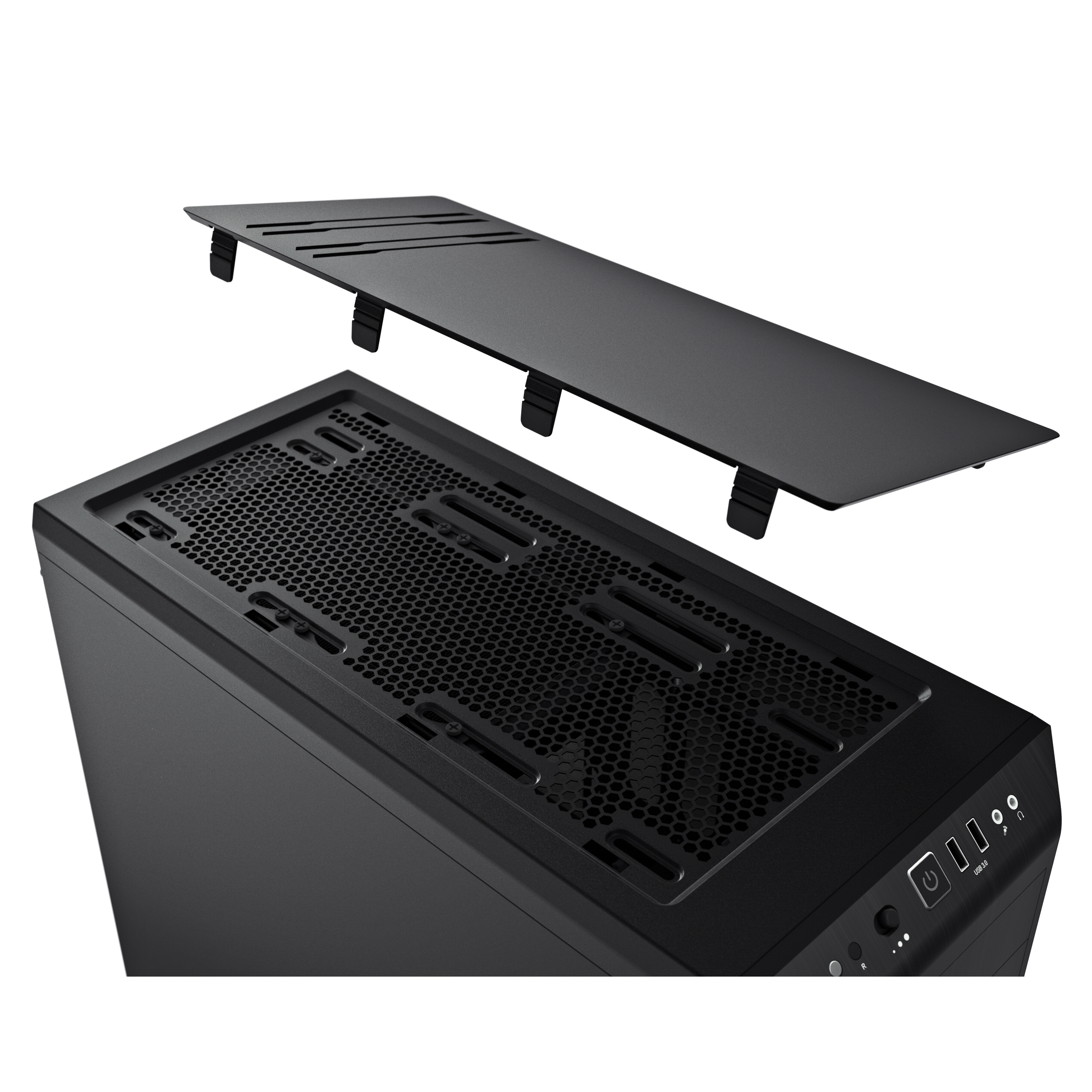
The Be Quiet! Pure Base 600 Black is a mid-tower case in solid steel, measuring 492mm deep, 220mm wide and 470mm high. It has a pre-installed 140mm front fan and a 120mm rear fan. The Thermalright Assassin King 120 SE is a 148mm tower air cooler rated at 200W, and it keeps the processor cool without a liquid cooling loop. The Corsair RM850e is an 850W 80 Plus Gold fully modular ATX 3.1 power supply, and it feeds the 360W graphics card.
USB, Wi-Fi and audio for a home cockpit
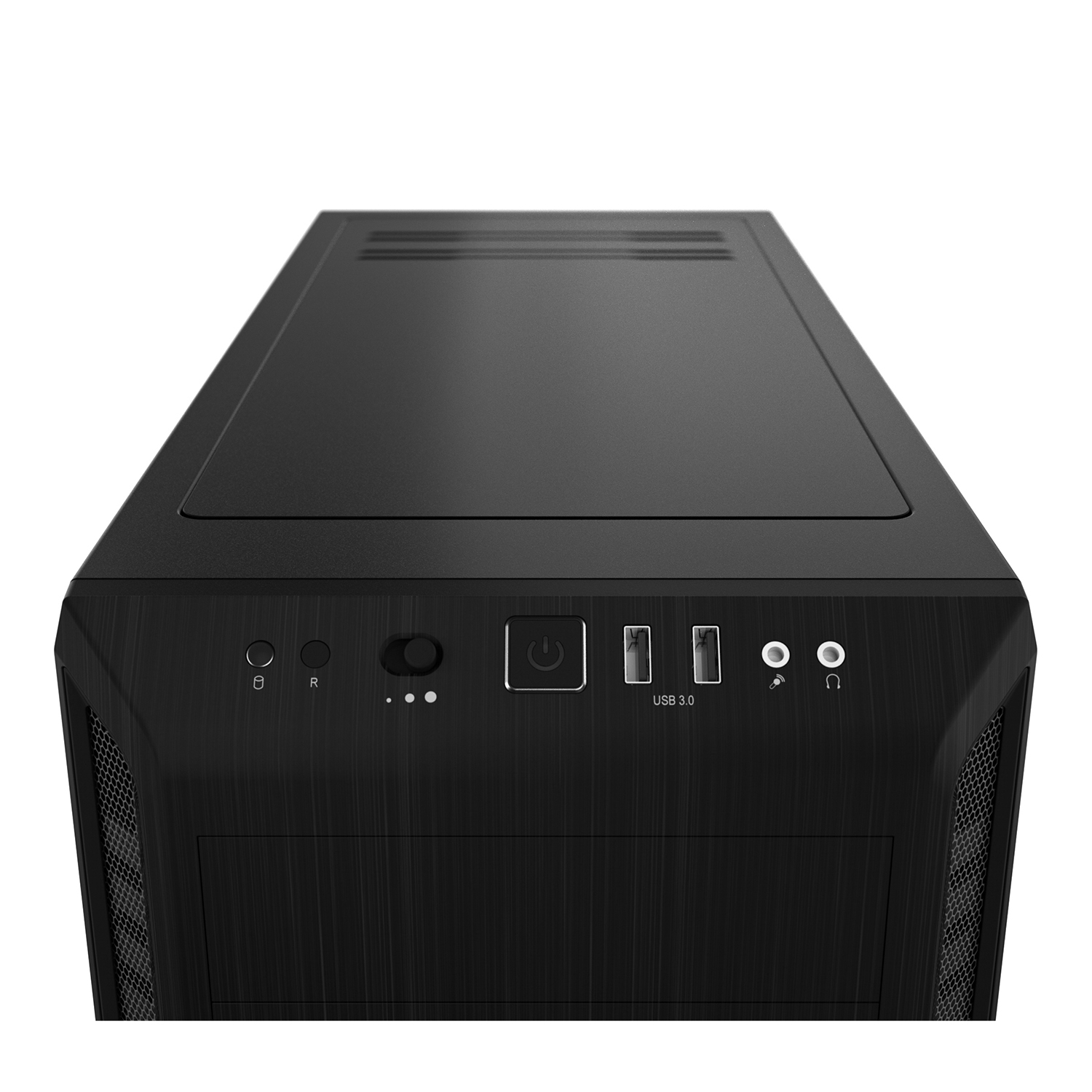
Flight simulation means plugging in a lot of hardware at once, such as a HOTAS, rudder pedals, a throttle quadrant or Track IR. The rear panel has 2 x Type-A 10Gbps, 1 x Type-C 5Gbps and 6 x USB 2.0 ports, and the front panel adds 2 x USB 3.0 Type-A ports, a headphone jack and a microphone jack. Networking is a 1GbE Realtek wired port for large scenery and add-on downloads, plus built-in Wi-Fi 6E and Bluetooth 5.0. The motherboard also provides Realtek 7.1 HD Audio for headsets and speakers.
Ideal for
- Pilots flying Microsoft Flight Simulator 2024 with detailed scenery and add-on aircraft
- DCS World and X-Plane 12 users who want a fast single-core clock and a large cache
- VR flyers and photogrammetry add-on users who need 16GB of VRAM
- Home cockpit builders connecting a HOTAS, rudder pedals, a throttle quadrant and Track IR
- Multi-monitor setups of up to four displays from the graphics card
For pilots who want a fast, well-balanced machine, this 7800X3D RTX 5080 flight simulator PC covers the demands of the major simulators. It combines a 5.0GHz turbo clock and 96MB of cache with 16GB of GDDR7 graphics memory, 64GB of DDR5 and 2TB of NVMe storage. It also leaves room to add drives and memory later.
Built to order and tested in the UK by Punch Technology, every system comes with a 3-year parts and labour warranty, backed by over 30 years of PC building experience and our status as an AMD Elite System Builder. The estimated lead time for your configuration is shown when you order.
Full Specification
| Processor | |
| CPU | AMD Ryzen 7 7800X3D 4.2/5.0GHz 8 Core, 16 Thread CPU (AM5) |
| Cores / Threads | 8 Cores / 16 Threads |
| Frequency | Base 4.2GHz / Max Turbo 5.0GHz |
| Cache | 96MB L3 |
| Integrated Graphics | AMD Radeon Graphics |
| CPU Cooler | Thermalright Assassin King 120 SE 200W CPU Air Cooler (tower air cooler, 148 mm) |
| Memory & Storage | |
| RAM | 64GB DDR5 6000MHz CL36 |
| Configuration | Dual Channel – 2 x 32GB |
| Max Supported | 192 GB (4 x DIMM slots, 2 used) |
| Primary SSD | 2TB WD Blue SN5100 M.2 PCIe 4.0 NVMe SSD (7100MB/s R, 6700MB/s W) – operating system and applications |
| Optical Drive | None |
| Graphics & Display | |
| GPU | NVIDIA GeForce RTX 5080 16GB GDDR7 GPU (10752 cores, 360 W) |
| Display Outputs | 3 x DisplayPort 2.1b, 1 x HDMI 2.1b on the graphics card (up to 4 x monitors; layout may vary by card brand) |
| Motherboard & Connectivity | |
| Motherboard | Gigabyte B650 EAGLE AX ATX DDR5 Motherboard (ATX) |
| Chipset | AMD B650 |
| Wired Networking | 1GbE (Realtek) LAN |
| Wireless | Wi-Fi 6E – Built-in |
| Bluetooth | Bluetooth 5.0 (built-in) |
| Audio | High Definition Audio 7.1 (Realtek 7.1 HD Audio) |
| Rear & Front I/O (Input/Output) | |
| Rear Ports | 2 x Type-A 10Gbps, 1 x Type-C 5Gbps, 6 x Type-A USB 2.0, 1 x RJ-45 1GbE Ethernet Port, plus the graphics card's 3 x DisplayPort 2.1b, 1 x HDMI 2.1b |
| Front Ports | 2 x USB 3.0 Type-A, 1 x headphone jack, 1 x microphone jack |
| Motherboard Video | 1 x DisplayPort, 1 x HDMI |
| Expansion & Internal Slots | |
| PCIe Slots | 1 x PCIe 4.0 x16 (used by the NVIDIA GeForce RTX 5080 16GB GDDR7 GPU), 1 x PCIe 3.0 x16 (x1), 1 x PCIe 3.0 x16 (x1), 1 x PCIe 3.0 x16 (x1) |
| Storage Expansion | 3 x M.2 (PCIe 5.0 x4, PCIe 4.0 x4, PCIe 4.0 x4; 1 used, 2 free), 4 x SATA 6Gb/s (0 used), case mounts for 3 x 3.5" and 8 x 2.5" drives |
| Power, Case & Cooling | |
| Power Supply | Corsair RM850e 850W 80 Plus Gold Fully Modular ATX 3.1 PSU (80 PLUS Gold, ATX 3.1, Fully modular) |
| Chassis | Be Quiet! Pure Base 600 Black (Mid tower, Solid steel) |
| Fans | 1 x 120mm rear, 1 x 140mm front (pre-installed) |
| Liquid Cooling | None (air-cooled – Thermalright Assassin King 120 SE 200W CPU Air Cooler) |
| Dimensions | 492mm (D) x 220mm (W) x 470mm (H) |
| Software & Support | |
| Operating System | Microsoft Windows® 11 Home (Advanced licence) (genuine, pre-installed) |
| Input Devices | No keyboard or mouse included |
| Warranty Cover | 3 Years, Parts & Labour |
| First Year | Free returns on warranty claims |
What is the Flight Sim PC – Ryzen 7 7800X3D, RTX 5080 best for?
The Flight Sim PC – Ryzen 7 7800X3D, RTX 5080 is primarily a desktop flight simulation PC for Microsoft Flight Simulator 2024 and the other major simulators. The 7800X3D’s 5.0GHz turbo clock suits the single-threaded simulation core, and the RTX 5080’s 16GB of VRAM gives headroom for VR and photogrammetry-heavy scenery. The 2TB SSD and 64GB of memory suit large add-on libraries and the big World Updates that MSFS 2024 can download.
It suits MSFS 2024, DCS World and X-Plane 12 first, and it also covers MSFS 2020, Prepar3D v5 and v6, IL-2 Sturmovik and War Thunder. Buyers who fly at standard settings at 1080p or 1440p on a single monitor can get by with less graphics memory, because an RTX 5060 Ti 8GB is adequate there. The RTX 5080 is the better choice for VR, heavy photogrammetry add-ons or several high-resolution screens.
Where does the Flight Sim PC – Ryzen 7 7800X3D, RTX 5080 sit in the range?
The nearest PCs below it in the range are the Streaming PC – Ryzen 7 8700F, RTX 5060 Ti, with a Ryzen 7 8700F, an RTX 5060 Ti 8GB, 32GB of DDR5 6000MHz and a 1TB SSD, and the Titanium R Ryzen Gaming PC, with a Ryzen 7 5800X, an RTX 5070 Ti 16GB, 32GB of DDR4 3200MHz and a 1TB SSD. This build moves up to an RTX 5080 16GB with GDDR7, a 7800X3D with a 5.0GHz boost clock against the 5800X’s 4.7GHz, and 64GB of DDR5 on the AM5 platform. It also doubles the storage to 2TB, which helps with large scenery and add-on libraries.
Frequently Asked Questions
Can the Flight Sim PC – Ryzen 7 7800X3D, RTX 5080 run MSFS 2024, DCS World and X-Plane 12?
Yes, it is specified for all three. The Ryzen 7 7800X3D has a 5.0GHz maximum turbo clock for the main simulation thread, and the RTX 5080 has 16GB of GDDR7 for detailed scenery and VR. It also suits MSFS 2020, Prepar3D v5 and v6, IL-2 Sturmovik and War Thunder.
Is 16GB of VRAM enough for VR and photogrammetry add-ons?
Yes. The usual guide is 8GB for 1080p and 1440p at standard settings and 12GB or more for VR or heavy photogrammetry add-ons, and the RTX 5080 has 16GB of GDDR7. It also has 3 x DisplayPort 2.1b and 1 x HDMI 2.1b for monitors or a headset, and the exact port layout may vary by card brand.
Are there enough USB ports for a HOTAS, rudder pedals and Track IR?
Yes. The rear panel has 2 x Type-A 10Gbps, 1 x Type-C 5Gbps and 6 x USB 2.0 ports, and the front panel adds 2 x USB 3.0 Type-A ports, which makes eleven in total. That is enough for a joystick or HOTAS, rudder pedals, a throttle quadrant, head tracking, a keyboard and a mouse at the same time.
Is 2TB enough for MSFS 2024, and can I add more storage?
2TB is a sound starting point, but MSFS 2024 World Updates can exceed 300GB on their own, so a large add-on library will fill it over time. Two M.2 slots and four SATA 6Gb/s ports are free, and the case has mounts for 3 x 3.5″ and 8 x 2.5″ drives. Memory can also grow from 64GB to 192GB across the board’s 4 DIMM slots.
Who is this PC best suited for?
It is best suited to serious desktop flight simulation pilots who fly MSFS 2024, DCS World or X-Plane 12 and want VR-ready graphics, a fast single-core processor and plenty of storage. It also suits home cockpit builders with several USB controllers and anyone running a multi-monitor display. Casual flyers on a single screen at standard settings can choose a cheaper PC in the range.
Does it include a keyboard, mouse or monitor?
No keyboard or mouse is included, and the build does not list a monitor, joystick or other flight controls either. You will need to supply those yourself or add them from our accessories range, which includes monitors, keyboards and mice, webcams and cables. Windows 11 Home is supplied genuine and pre-installed.


What others are saying
There are no contributions yet.